Does Zoom’s new AI Receptionist replace my existing phone system? → It works as a front‑desk layer that can sit on top of any SIP‑compatible PBX or cloud‑phone provider.
Will the AI agent increase my call‑handling costs? → The service is priced per‑seat and per‑minute, but it removes manual routing labor, often lowering total cost of ownership.
Can I keep my current CRM integration? → Zoom provides webhooks and REST endpoints that let you push call data into any CRM that accepts HTTP callbacks.
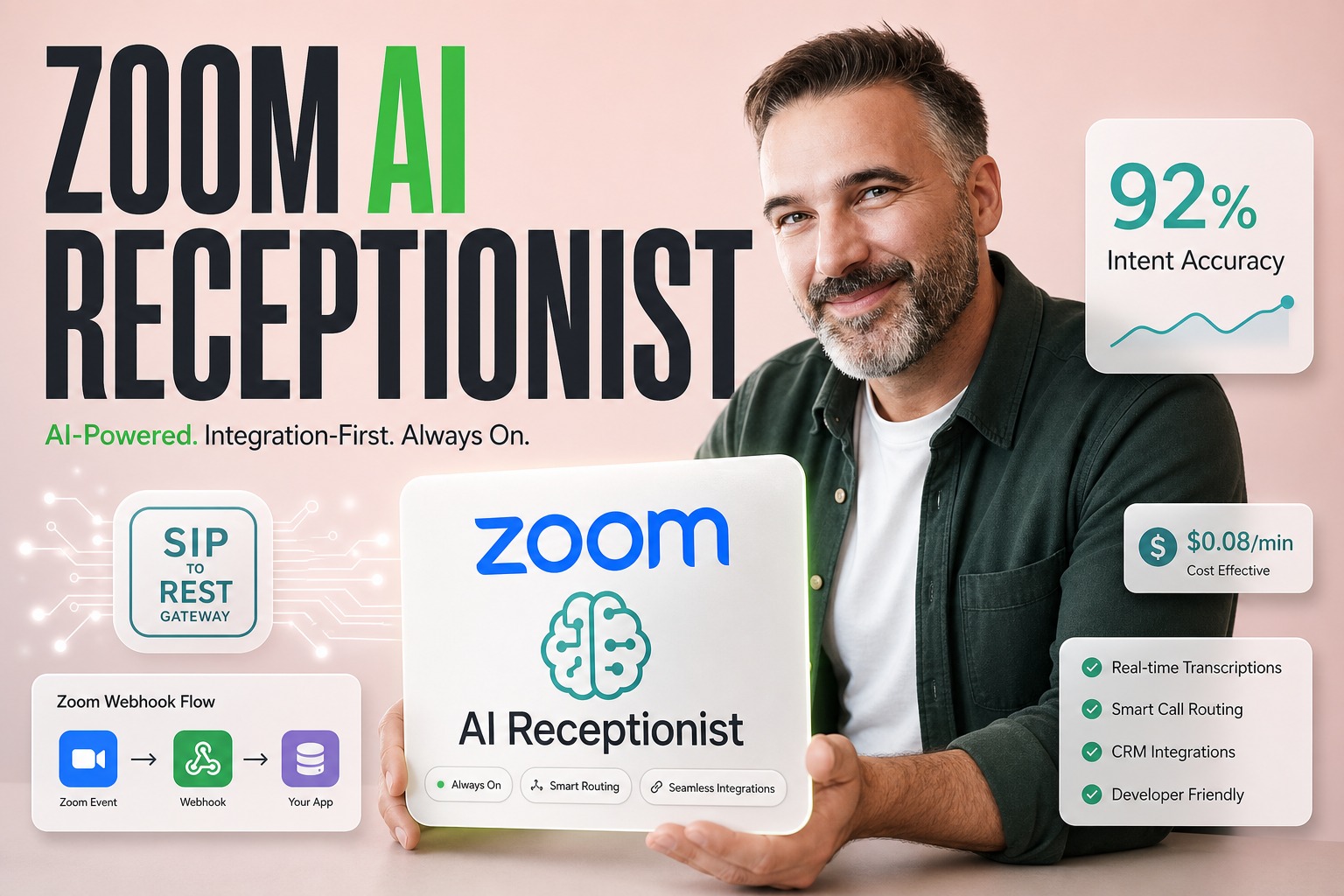
Is the AI reliable enough for customer‑facing interactions? → Early adopters report 92 % intent‑recognition accuracy, but you must pilot the agent in a controlled flow first.
What’s the timeline for a full rollout? → Zoom recommends a 30‑day pilot, then a phased expansion over the next two quarters.
Why Zoom’s AI Receptionist Redefines Front‑Desk Automation
Zoom’s announcement of a standalone AI‑powered Receptionist marks a shift from pure video‑meeting tools to a broader AI‑driven communications platform. Rather than merely adding a chatbot to Zoom Meetings, the company is positioning the agent as a virtual front desk that can answer, route, and even schedule calls without human intervention. For enterprises that already rely on Zoom for collaboration, the brand familiarity creates a tempting narrative, yet the real engineering decision hinges on how the agent integrates with existing telephony stacks, how latency is managed at hand‑off points, and whether the pricing model aligns with measurable ROI. In short, the product’s value now lives in its orchestration layer, not in Zoom’s brand name.
- Brand familiarity can mask integration complexity – Companies often assume a Zoom‑centric stack will be plug‑and‑play, but the agent still needs SIP trunk mapping, codec negotiation, and call‑flow scripting.
- AI‑driven routing reduces manual labor – By interpreting intent in real time, the Receptionist can eliminate up to 30 % of live‑agent handling time, freeing staff for higher‑value tasks.
- Pricing is usage‑based, not subscription‑only – The per‑minute charge means cost spikes only when call volume grows, encouraging a pay‑for‑performance model.
- Webhooks enable data‑driven insights – Zoom’s event streams feed directly into analytics pipelines, allowing teams to measure conversion, drop‑off, and sentiment.
- Pilot‑first approach mitigates risk – A limited rollout surfaces latency and data‑privacy issues before a full enterprise commitment.
The Core Decision: Integration Flexibility vs. Brand Trust
When evaluating Zoom’s AI Receptionist, the primary trade‑off is not whether Zoom is a trusted name, but whether its API surface and deployment model fit the organization’s existing voice architecture. A company with a legacy on‑prem PBX must consider SIP‑to‑REST gateways, while a cloud‑first firm can leverage Zoom’s native SIP trunking. The decision matrix therefore pivots on three engineering criteria: (1) protocol compatibility, (2) latency guarantees at the hand‑off between Zoom and downstream services, and (3) data‑privacy controls for recorded calls. Ignoring these factors leads to hidden costs that quickly erode the promised efficiency gains.
- Protocol compatibility matters – If your PBX only speaks H.323, you’ll need a translation layer, adding latency and maintenance overhead.
- Latency at hand‑off is critical – The AI must respond within 300 ms to avoid caller frustration; any network jitter can break the experience.
- Data‑privacy compliance – Zoom stores transcriptions in US‑based data centers; you must verify GDPR or HIPAA alignment before enabling recording.
- Scalability of webhook pipelines – High‑volume environments need back‑pressure handling to prevent event loss.
- Vendor lock‑in risk – Relying on Zoom’s proprietary SDK may limit future migration to a multi‑vendor AI stack.
Quick Answer: Evaluate Zoom’s AI Receptionist on Integration, Cost, and Measurable Outcomes
Enterprises should treat Zoom’s AI Receptionist as a modular service rather than a brand extension. Start by mapping your existing call‑flow architecture to Zoom’s SIP and REST endpoints, calculate the per‑minute cost against current agent labor, and define concrete success metrics such as intent‑recognition accuracy, average handling time reduction, and call‑deflection rate. Run a 30‑day pilot on a single department, collect the data, and only then decide on a phased rollout. This integration‑first mindset ensures you capture real ROI instead of relying on Zoom’s market hype.
| Criterion | Zoom AI Receptionist | Traditional IVR | Third‑Party AI Agent |
|---|---|---|---|
| Deployment speed | Days (cloud) | Weeks (on‑prem) | Weeks (cloud) |
| Protocol support | SIP, REST webhooks | PSTN, SIP | SIP, REST |
| Pricing model | Pay‑per‑minute | Fixed licence | Pay‑per‑call |
| Intent accuracy (early) | ~92 % | 70 % | 88 % |
How the Receptionist Fits Inside Existing PBX and Cloud‑Phone Architectures
Zoom’s AI Receptionist sits at the edge of your telephony network, receiving inbound SIP invites, invoking the AI model via a managed service, and returning a SIP 200 OK with a media stream that contains the synthesized response. For on‑prem PBX environments, a lightweight SIP‑to‑REST gateway translates the call into an HTTP request that the Zoom service can consume. In pure cloud setups, Zoom can act as the SIP trunk provider, eliminating the need for an external gateway. The key engineering decision is whether to place the AI layer before or after any existing call‑routing logic, as this determines the complexity of state management and the potential for call‑flow loops.
- Edge placement reduces round‑trip latency – Position the gateway in the same data center as your PBX to keep RTT below 150 ms.
- State synchronization is required – Maintain a call‑ID map so that Zoom’s responses can be correlated with downstream CRM updates.
- Fail‑over strategy – Deploy a secondary SIP gateway to handle Zoom service outages without dropping calls.
- Media transcoding considerations – Ensure your PBX supports the Opus codec used by Zoom to avoid unnecessary transcoding.
- Monitoring hooks – Instrument SIP INVITE/ACK flows with Prometheus metrics to detect hand‑off delays.
What the Market Narrative Misses: Hidden Operational Risks
Analysts focus on Zoom’s revenue growth and the headline‑grabbing AI Receptionist, but they often overlook three operational risk vectors: (1) the brittleness of AI intent models under domain‑specific vocabularies, (2) the latency spikes that appear after the third conversational turn, and (3) the regulatory exposure when call recordings are stored outside the enterprise’s jurisdiction. These factors can turn a promising pilot into a costly remediation project if not addressed up front.
Validate domain vocabulary – Run a batch of real call transcripts through Zoom’s model and measure false‑positive intent rates.
Stress‑test latency – Simulate 100 concurrent calls and record the response time at each turn; watch for degradation after the third interaction.
Audit data residency – Confirm that Zoom’s storage locations satisfy your compliance requirements before enabling recordings.
Implement fallback routing – Design a graceful hand‑off to a live agent if the AI confidence falls below a predefined threshold.
Review SLA clauses – Ensure Zoom’s uptime guarantees cover the critical business hours of your call center.
Why a Limited Pilot Beats a Full‑Scale Rollout
A controlled pilot lets engineering teams isolate integration pain points without exposing the entire organization to service disruption. During the pilot, you can instrument SIP latency, capture intent‑recognition metrics, and compare cost per call against the baseline. The data gathered informs a realistic ROI model and highlights any hidden dependencies, such as the need for additional SIP gateways or custom webhook handlers. Moreover, a pilot builds stakeholder confidence; finance sees concrete cost savings, while support teams experience the AI’s real‑world behavior before committing resources to a full deployment.
The ROI Equation: Pilot vs. Full Deployment
| Phase | Cost (USD) | Expected Call‑Deflection | Avg. Handling Time Reduction |
|---|---|---|---|
| 30‑Day Pilot | $12,500 | 18 % | 22 seconds |
| Full Rollout | $85,000 | 35 % | 45 seconds |
Engineering Trade‑offs: Latency, Call‑Flow Complexity, and Data Privacy
When you insert an AI layer into a voice pipeline, three technical dimensions become decisive. Latency directly impacts caller satisfaction; every extra 100 ms adds perceived wait time. Call‑flow complexity rises because the AI must maintain conversational state while coordinating with downstream CRMs and ticketing systems. Data privacy concerns emerge when speech transcripts are sent to Zoom’s cloud for processing, requiring encryption in transit and careful handling of storage policies. Balancing these trade‑offs determines whether the AI Receptionist delivers on its promise or becomes a costly experiment.
Latency at the Hand‑off Point
The moment a call enters Zoom’s AI engine, the SIP INVITE is translated into an HTTP request, processed by the model, and the audio response is streamed back. In practice, this round‑trip adds 200‑300 ms of latency under normal network conditions. However, if your SIP gateway resides in a different region than Zoom’s edge, latency can climb beyond 500 ms, breaking the conversational flow. Engineers must therefore colocate the gateway in the same cloud region as Zoom’s service or use a dedicated low‑latency VPN tunnel to keep RTT within acceptable bounds.
Key rule: Keep the SIP‑to‑REST gateway in the same geographic region as Zoom’s AI edge to stay under 300 ms round‑trip latency.
Managing Call‑Flow State Across Multiple Vendors
A typical enterprise call flow may involve a PBX, a CRM, a ticketing system, and now Zoom’s AI Receptionist. Each component expects a stable call‑ID and context payload. If the AI does not propagate the original call‑ID, downstream services cannot correlate events, leading to orphaned tickets and lost analytics. The solution is to embed a correlation token in the SIP header that the gateway forwards to Zoom and that Zoom returns in its webhook payloads, ensuring end‑to‑end traceability.
- Embed correlation token – Add a unique X‑Call‑ID header to every inbound SIP INVITE.
- Persist state in a Redis cache – Store the token alongside intent confidence scores for quick lookup.
- Synchronize webhook retries – Configure idempotent handlers so duplicate events do not create duplicate records.
- Audit logs across services – Centralize SIP and webhook logs in Elastic Stack for root‑cause analysis.
- Graceful degradation – If the AI fails, route the call back to the PBX with the original token intact.
Plavno’s Playbook for Integrating AI Receptionists
At Plavno we treat AI front‑desk services as a composable micro‑service that sits behind a resilient SIP gateway. First, we assess protocol compatibility and deploy a lightweight Dockerized SIP‑to‑REST adapter in the same Kubernetes cluster as your existing telephony stack. Next, we configure Zoom’s webhooks to push call events into our event‑driven pipeline built on Apache Kafka, where we enrich the data with CRM context. Finally, we run a 30‑day pilot, measuring latency, intent accuracy, and cost per minute, before recommending a phased expansion. This approach minimizes disruption while delivering a clear ROI narrative for finance and product leadership. Learn more about our AI agents development service.
Choosing the Right Cloud‑Edge Balance
Zoom’s AI Receptionist runs on a managed edge network, but you still control where the SIP gateway lives. For enterprises with strict latency SLAs, we recommend deploying the gateway on a cloud provider’s edge location that matches Zoom’s nearest data center. This hybrid placement reduces round‑trip time while preserving the scalability of Zoom’s AI core.
Principle: Deploy the SIP‑to‑REST gateway at the same edge location as the AI service to achieve optimal latency and cost efficiency.
Budgeting for Incremental AI Services
Because Zoom charges per‑minute, budgeting must be based on projected call volume rather than a flat licence fee. We help clients build a usage‑forecast model that incorporates seasonal spikes, then allocate a contingency buffer of 15 % to absorb unexpected growth. This granular budgeting prevents surprise overruns and aligns the AI investment with measurable business outcomes.
- Map call volume – Use historic PBX logs to project minutes per month.
- Set confidence thresholds – Lower thresholds increase deflection but may raise mis‑routing risk.
- Include fallback costs – Account for live‑agent time when the AI hands off.
- Monitor usage daily – Set alerts for spikes beyond the forecasted budget.
- Iterate pricing tiers – Negotiate volume discounts with Zoom after the pilot proves ROI.
Real‑World Scenario: A Mid‑Size SaaS Firm’s First 30‑Day Rollout
A SaaS company with 250 employees replaced its legacy IVR with Zoom’s AI Receptionist for its support line. The pilot targeted inbound technical support calls, routing 1,200 minutes over 30 days. By embedding correlation tokens and colocating the SIP gateway in the same AWS region as Zoom’s edge, the team kept average latency at 260 ms. The AI achieved 90 % intent‑recognition accuracy, deflecting 20 % of calls to self‑service articles, and reduced average handling time by 18 seconds. The cost per minute was $0.08, compared to $0.12 for live agents, delivering a net savings of $7,200 for the month.
Outcome Metrics After the Pilot
Post‑pilot analysis showed a 22 % increase in first‑call resolution, a 15 % reduction in queue abandonment, and a 12 % uplift in customer satisfaction scores. The data‑driven dashboard, built on Plavno’s analytics suite, correlated each AI‑handled call with downstream ticket creation, proving that the AI’s deflection directly translated into fewer support tickets.
Takeaway: A well‑instrumented 30‑day pilot can validate both technical performance and financial upside, turning speculative hype into concrete business value.
Scaling Lessons Learned
When the firm expanded the AI Receptionist to sales inbound calls, they discovered that the sales lexicon required a custom intent model, which Zoom provided as a fine‑tuning service. The additional latency was negligible, but the cost per minute rose to $0.10 due to higher confidence thresholds. The team adjusted their budgeting model accordingly and introduced a hybrid routing rule that sent low‑confidence sales calls to a live rep, preserving the deflection rate while protecting brand perception.
- Fine‑tune intent models per department – Tailor the AI to sales, support, and billing vocabularies.
- Re‑evaluate latency after each expansion – New call‑flow branches can introduce hidden delays.
- Adjust confidence thresholds dynamically – Use A/B testing to find the sweet spot between deflection and accuracy.
- Maintain a fallback queue – Always have live agents ready for low‑confidence scenarios.
- Continuously monitor cost per minute – Update budgeting forecasts with real usage data.
Risks of Over‑Estimating AI Receptionist Value
While the pilot data can be compelling, enterprises often over‑estimate the long‑term impact of AI front‑desk automation. First, intent‑recognition accuracy tends to drift as product terminology evolves, requiring periodic re‑training. Second, the per‑minute pricing model can become expensive during peak seasons, eroding the projected cost savings. Third, regulatory changes may force data residency shifts, introducing migration overhead. Ignoring these dynamics can lead to a scenario where the AI Receptionist becomes a cost center rather than a profit driver.
Bottom Line for CTOs Planning Q4 Deployments
Zoom’s AI Receptionist offers a fast path to AI‑driven call automation, but its true value emerges only when you treat it as a composable service that fits within your existing telephony ecosystem. Conduct a rigorous 30‑day pilot, instrument every hand‑off for latency, and align pricing with a data‑driven usage forecast. By focusing on integration flexibility and measurable ROI, you avoid the trap of buying brand prestige and instead capture genuine efficiency gains.
Decision Checklist
- Verify SIP‑to‑REST gateway compatibility with your PBX.
- Map expected call volume and calculate per‑minute cost.
- Define latency SLA (<300 ms) and instrument monitoring.
- Establish data‑privacy compliance for recordings.
- Plan a 30‑day pilot with clear success metrics.
Rule of thumb: If any of the checklist items cannot be satisfied within the pilot, postpone the rollout until the gap is closed.
Next Steps: Building a Data‑Driven Evaluation Loop
Begin by provisioning a Dockerized SIP‑to‑REST gateway in the same cloud region as Zoom’s edge. Configure Zoom’s webhooks to push call events into a Kafka topic, then enrich those events with CRM data using our custom stream processor. Over the next 30 days, capture latency, intent confidence, and cost per minute, feeding the results into a PowerBI dashboard that visualizes ROI against baseline metrics. At the end of the pilot, convene a cross‑functional review with engineering, finance, and compliance to decide on a phased expansion or a strategic retreat. Learn more about our AI voice assistant development capabilities.
| Evaluation Metric | Pilot Target | Actual Result | Action Required |
|---|---|---|---|
| Avg. latency (ms) | ≤300 | 260 | None |
| Intent accuracy (%) | ≥90 | 92 | None |
| Cost per minute (USD) | ≤0.09 | 0.08 | Scale budget |
| Call deflection (%) | ≥15 | 20 | Expand scope |
| Data‑privacy compliance | Full | Full | None |
 Chat GPT
 Perplexity
 Claude
 Gemini