bg image
bg image

Serving Arlington, VA

Make pipeline decisions faster in Arlington in 2026 with AI CRM Automation

Manual CRM updates and missed follow-ups cost deals in Arlington because handoffs are constant and cycles are long. We implement AI CRM Automation so reps spend time on conversations, not routing, copying notes, and chasing stale leads. Your team gets consistent scoring, predictable next steps, and fewer surprise gaps in the pipeline review. This is built for RevOps, sales ops, and BD teams supporting government contractors, professional services firms, and fast-moving teams around National Landing. Expect clearer ownership on every lead and cleaner data that holds up in forecast meetings. Get AI CRM Automation cost estimate in 24 hours. Bring your current CRM, a list of systems to connect, and a sample of real sales data so we can size the work.

Discuss Project

Overview

Arlington pipelines break at handoffs, not at leads

Arlington sales teams lose time where work crosses systems and people. That shows up in Rosslyn and Crystal City when inbound leads sit unassigned. It shows up again in Pentagon City when meeting notes never make it into the CRM. The cost is not only time. Forecast meetings degrade into arguments about data ownership and timing.

AI CRM automation fixes the handoff problem by turning repeated decisions into governed workflow. The goal is simple. Put the right lead in front of the right owner with a reason that can be reviewed later. Then record the outcome back to the CRM so the next step is based on facts. In Arlington, that matters because many teams sell into procurement-heavy environments with long trails of communication.

Trusted AI CRM Automation Partner for Arlington Businesses. We work with US-based clients, including companies operating in Virginia. We have delivered 10+ AI automation projects for the US market where reliability and auditability mattered. For teams using Salesforce or HubSpot, we map your current stages to automation that respects how you actually qualify, route, and follow up. When you need deeper foundation work, our CRM development team builds the underlying objects, permissions, and data model that automation depends on.

Our proof comes from real automation work, not slideware. We built an AI agent for freight quoting and tracking automation, including quote automation and logistics workflow orchestration. That project forced hard decisions around event timing, human override, and error handling. We also delivered a personalized house hunting platform for expats where matching and search needed tight feedback loops to keep results relevant. Those patterns apply to Arlington CRMs because scoring and routing must stay stable under changing inputs.

In Northern Virginia, integration complexity is usually the make-or-break factor. One team is in Outlook and calendars. Another is in a proposal tool or an RFP repository. A third is in finance systems for contract numbers and invoicing. We plan the automation around those realities so it performs across Alexandria, Tysons, and National Landing without creating new technical debt.

Talk to an Expert
Governed AI automation layer

Governed AI automation layer

Turns handoffs into reviewable workflow across Salesforce/HubSpot; every decision is traceable.

Scoring + routing decision service

Scoring + routing decision service

Versioned rules + model-assisted scoring, explanations, thresholds, and human override for borderline leads.

API-first integrations that don't duplicate data

API-first integrations that don’t duplicate data

Idempotent writes, retries, dead-letter handling, latency-aware flows across email, calendars, forms, finance tools.

Security, audit trails + DevOps

Security, audit trails + DevOps

Least-privilege access, data-use boundaries, environment separation, logging/metrics so RevOps can operate safely.

Automation that holds up

A governed AI layer around Salesforce and HubSpot

Arlington teams do not need another widget inside the CRM. They need a dependable automation layer that turns messy activity into consistent actions. We build CRM workflow automation that starts with a clear event model, not a list of nice-to-have triggers. Each workflow has an owner, inputs, outputs, and a fallback path when the model is unsure. That structure keeps RevOps in control while still reducing manual work for reps.

For Salesforce AI automation and HubSpot AI automation, we implement scoring and routing as a first-class decision service. We keep the scoring logic inspectable, with versioning and a way to compare models over time. That approach comes from our freight quoting and tracking agent work, where an automated quote needed human override and traceability. The same idea applies when a lead is borderline. The system should show why it scored the way it did and how to correct it.

Integrations are built as products, not scripts. We implement CRM integration services using API-first connectors and idempotent writes so duplicates do not creep into accounts and contacts. We design for latency because Arlington teams often route leads in near-real time during events, demos, and partner calls. We also plan for partial failure because one upstream system will go down at the worst time. You get retry behavior, dead-letter handling, and clear alerts instead of silent data loss.

Security/compliance is treated as an engineering requirement from day one. We set least-privilege access for users, integrations, and automation identities. We define what data can be used for scoring and what must be excluded, especially for sensitive government-adjacent work. Audit trails are built into every decision and every write to the CRM. That makes it possible to explain routing decisions and reduce risk in internal reviews.

DevOps keeps the automation maintainable after launch. We deploy with environment separation so Arlington teams can test changes without polluting production reporting. We add logging and metrics around key workflows so you can see backlog, failures, and time-to-action. The same discipline supported our expat house-hunting platform work, where recommendation behavior had to be monitored as inputs changed. For CRMs, that translates into controlled releases and a clear path to improve scoring without breaking reporting.

plavno logo

Build your first
Smart AI project today!

Just tell the Plavno AI Agent about your project - it will ask questions, gather requirements, and propose a tailored solution

AI CRM Automation Solutions for Arlington Industries

Local use cases that map to Arlington revenue work

Arlington has long sales cycles, partner-led deals, and strict handoffs between BD, capture, and delivery. These solutions are shaped for the region's federal-adjacent economy and the National Landing mix of services and tech teams.

Capture Routing

Capture Routing

Gov BD

Government contractor BD automation and capture routing

Arlington government contractors often lose speed when capture notes, opportunity stages, and decision owners live in different places. We implement sales pipeline automation that routes leads and opportunities to BD, capture, and SMEs based on account, NAICS focus, and buying office signals you already track. Example ROI math: if 8 users each save 2 hours per week on triage and updates, that returns about 64 hours per month. We connect intake forms and email summaries into CRM records so the pipeline is reviewable. A technical summary is simple. We integrate data sources through APIs, write normalized fields back to Salesforce or HubSpot, then run rules plus model-assisted scoring with an audit trail. The result is fewer stalled opportunities and fewer ownership disputes in weekly reviews.

RFP Intake

RFP Intake

CRM Sync

RFP analysis to CRM integration for proposal teams

Proposal teams in Arlington read RFPs and then manually retype key fields into the CRM. We implement RFP analysis to CRM integration so deadlines, agencies, and requirements tags populate opportunity records and tasks. Example ROI math: if your team handles 20 RFPs per month and saves 45 minutes per RFP, that is 15 hours returned monthly. The workflow also reduces missed dates because tasks are created when the RFP is logged. A technical summary: we parse documents into structured fields, map them to CRM objects, and sync updates with conflict handling. The CRM becomes the system of record for the work, not a lagging dashboard.

Lead Scoring

Lead Scoring

Staffing Fit

Professional services lead scoring and staffing signals

Professional services firms in Arlington often qualify leads without tying them to delivery capacity and fit. We implement AI lead scoring that blends firmographic fit, historic win patterns, and resourcing signals that you define. Example ROI math: improving first-response focus for 50 inbound leads per week by 10 minutes per lead returns about 8.3 hours weekly. The scoring is paired with a routing rule so the right partner or practice lead sees the lead early. A technical summary: we backtest scoring on your historical CRM data, then deploy versioned scoring with explanations and thresholds. That reduces low-value calls and makes pipeline reviews less subjective.

Account Follow-up

Account Follow-up

Next Steps

National Landing account planning and multi-touch follow-up

National Landing teams often sell through multi-touch sequences that mix partners, events, and referrals. We build CRM workflow automation that assigns next actions, schedules follow-ups, and tracks completion without forcing reps into extra admin. Example ROI math: if 5 reps avoid 12 missed follow-ups per month and recover one meeting per rep, pipeline coverage improves with minimal spend. The system also enforces consistent logging so account plans are usable across teams. A technical summary: we connect calendar and email signals to CRM activities, then trigger task creation and reminders based on stage and last-touch timestamps. The result is better continuity when ownership changes mid-cycle.

Intent Matching

Intent Matching

Relocation

Real estate and relocation teams using matched lead intents

Relocation and real estate teams near Arlington depend on quick intent detection and fast matching. We apply patterns from our personalized house hunting platform for expats to implement classification and routing in the CRM. Example ROI math: if you reduce back-and-forth qualification from 6 messages to 4 per lead for 100 leads monthly, you remove 200 message touches. The key is to capture preferences consistently and route to the right agent or region. A technical summary: structured intake feeds the CRM, then a model-assisted matcher assigns tags and suggested next steps. This creates consistent follow-up and better client experience without a heavier process.

Quote-to-Case

Quote-to-Case

Status Sync

Logistics and field services quote-to-case CRM automation

Logistics and field services teams around Arlington often have quotes, tracking, and support running in separate tools. Based on our freight quoting and tracking automation work, we connect quote events and status updates back to CRM deals and cases. Example ROI math: if 3 coordinators each avoid 30 minutes per day of copy-paste tracking, that is about 30 hours returned monthly. The CRM then reflects actual service status, not outdated notes. A technical summary: workflow orchestration coordinates quote creation, status polling, and exception handling, then writes updates to CRM with deduplication. This reduces escalations and improves forecasting because deal stages reflect operational reality.

Delivery plan

From messy CRM reality to working automation

We deliver in short phases so Arlington teams can validate impact in production without gambling on a long rebuild. Each phase ends with artifacts your RevOps team can own and review.

Clipboard
Team
01

Step 1: Workflow and data audit (1–2 weeks)

We map how leads and opportunities really move across Arlington teams. That includes Rosslyn based sales, National Landing BD, and any shared proposal function. You receive a workflow inventory, a data dictionary, and a list of integration points with owners. We also identify where data quality blocks scoring and where routing rules conflict. The output includes a prioritized automation backlog and acceptance criteria. Timeline is 1–2 weeks, depending on how many systems feed the CRM.

02

Step 2: Scoring and routing pilot (2–3 weeks)

We build a narrow pilot that proves value on one pipeline segment. That usually means one inbound channel or one BD intake path for a capture team. You receive a working scoring model baseline, routing rules, and a review screen that shows reasons and thresholds. We run a controlled test with a rollback plan so operations are not disrupted. Pilot results are documented as before and after workflow timing and error counts. Timeline is 2–3 weeks, based on the complexity of the CRM objects.

Search in doc
Rocket
03

Step 3: Integration hardening and QA (2–4 weeks)

We connect the pilot to upstream and downstream systems with reliable writes and retries. That includes email, calendars, forms, and any internal data source used for account context. You receive integration specs, test cases, and a QA report that covers duplicates, conflicts, and partial failures. We add logging and alerting so failures are visible to your team. This phase focuses on latency and data correctness, not new features. Timeline is 2–4 weeks, depending on the number of systems and API constraints.

04

Step 4: Go-live and enablement (1–2 weeks)

We deploy to production with a clear cutover plan. You receive runbooks, role-based training, and an approval process for future rule changes. We set up dashboards that show routing speed, model confidence, and exceptions that need human review. We hold a short hypercare period to fix edge cases surfaced by real usage. The goal is adoption, not just a technical launch. Timeline is 1–2 weeks after integration QA is complete.

Case Study

We help customers cut
down on development

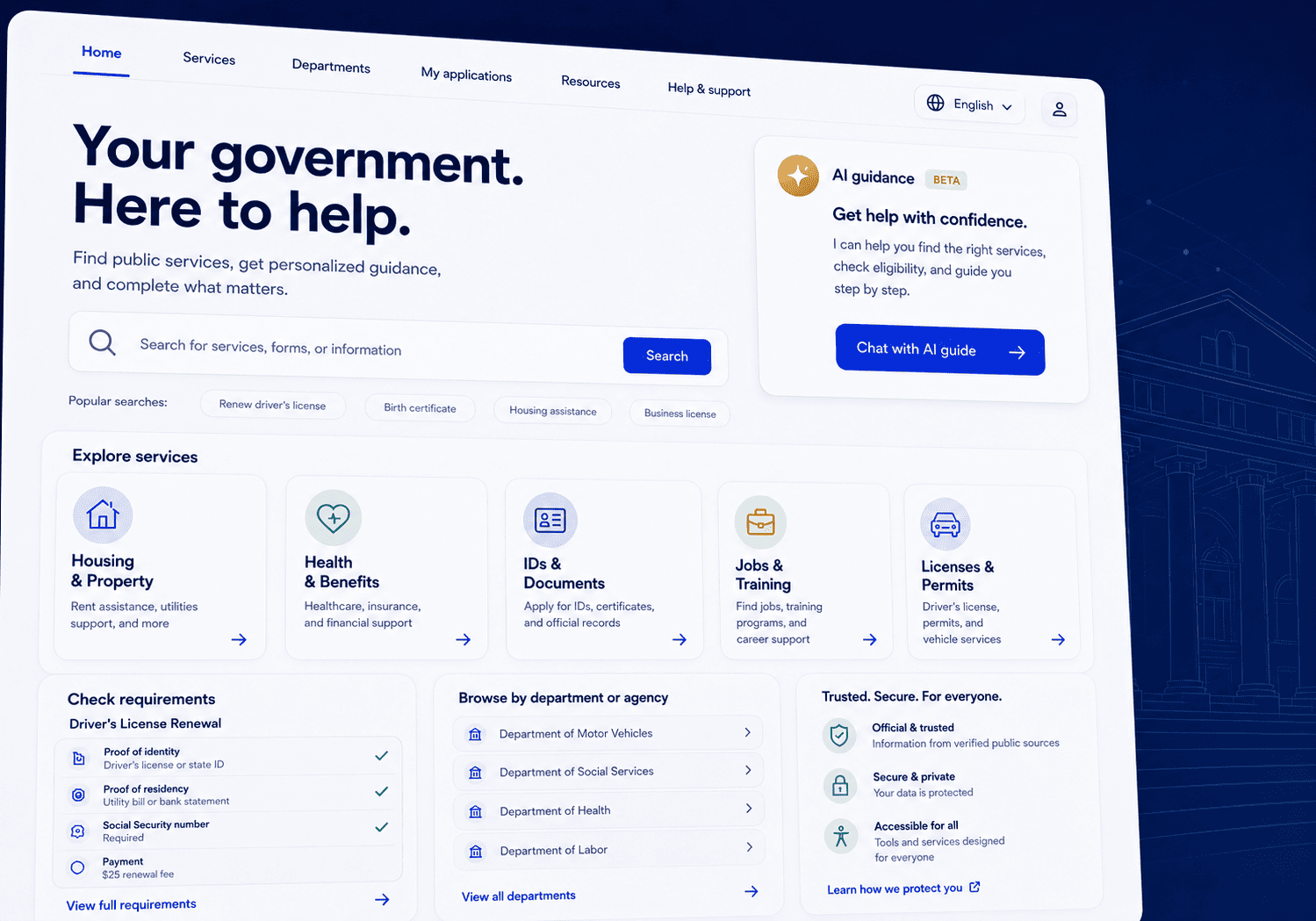
AI-Powered Citizen Services Website Platform for Virginia State Agencies

Plavno developed a modern eGovernment website platform for Virginia state agencies that centralizes citizen services, public information, department content, and an AI-powered guidance agent in one scalable system.

Read More
70%

reduction in routine citizen inquiries to agency staff

AI-Powered Citizen Services Website Platform for Virginia State Agencies

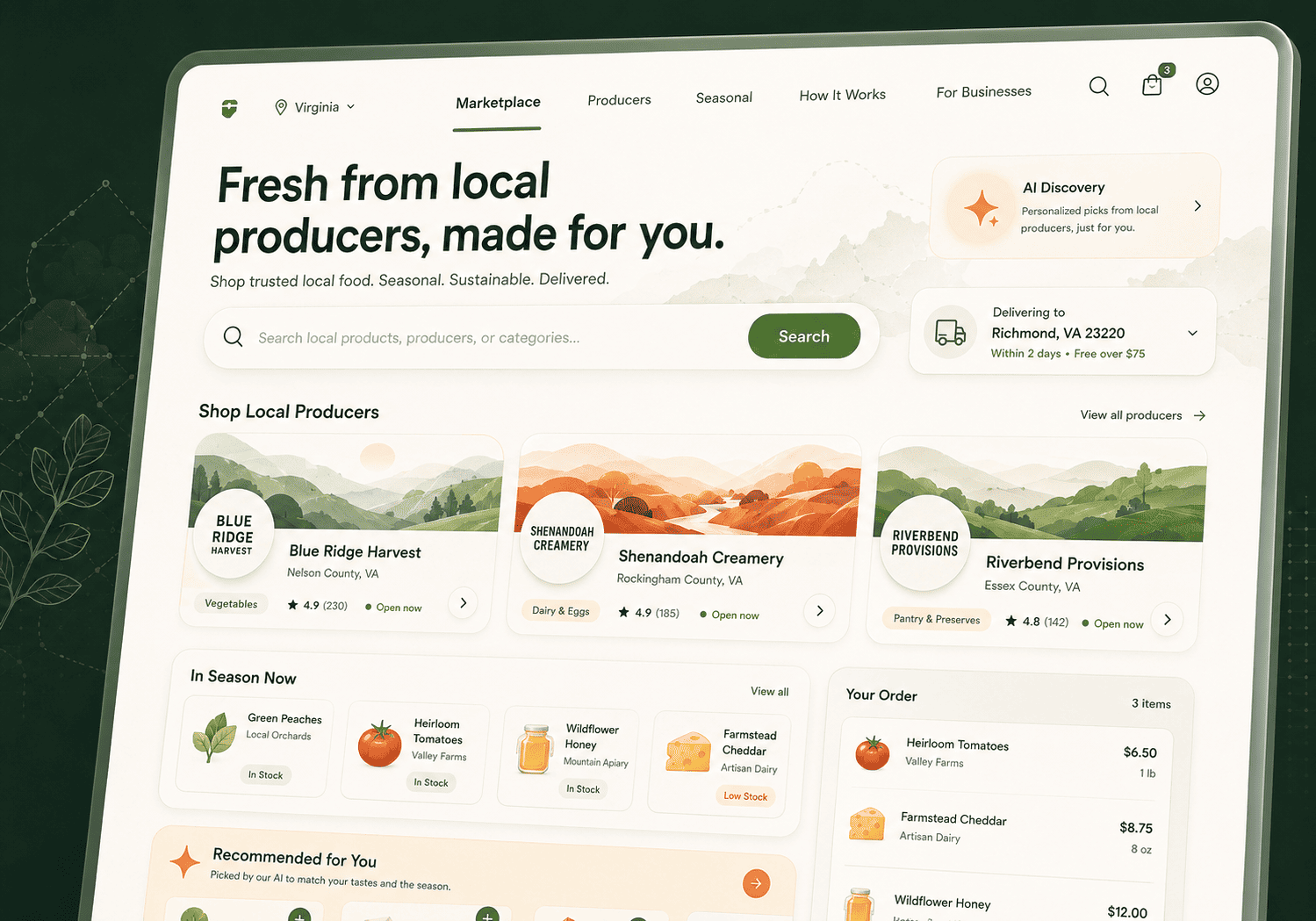
Digital Marketplace for Virginia Farmers, Local Producers & Direct-to-Consumer Food Sales

Plavno developed a custom multi-vendor marketplace for Virginia-based farmers, food producers, and regional sellers to unify product listings, vendor operations, customer ordering, and local fulfillment workflows.

Read More
3x

increase in product discovery relevance

Digital Marketplace for Virginia Farmers, Local Producers & Direct-to-Consumer Food Sales

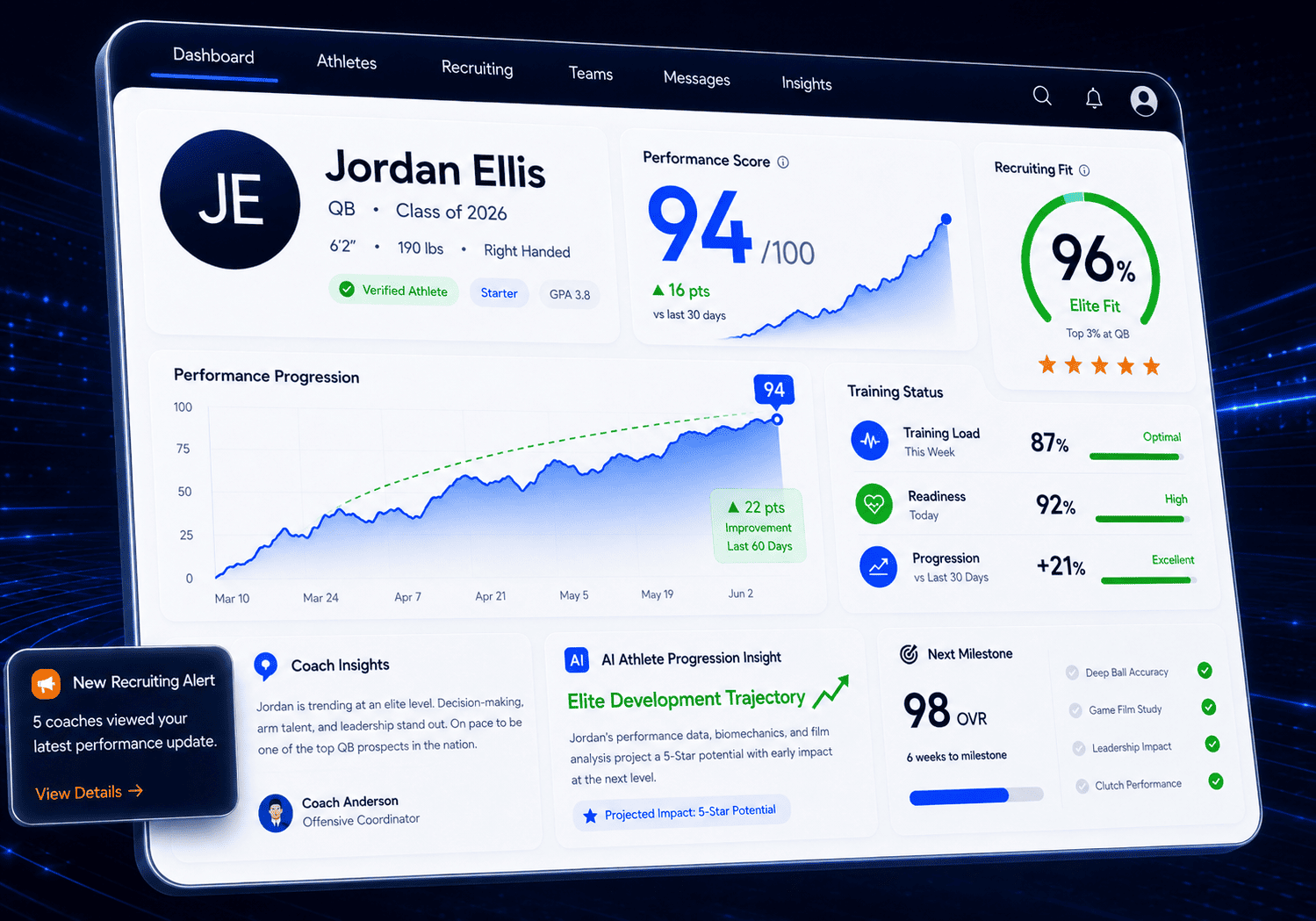
AI-Powered Sports Performance & Recruiting Platform for Virginia Clubs, Academies & Youth Programs

Plavno developed a custom sports technology platform for Virginia-based clubs and academies to combine athlete performance tracking, coach communication, recruiting workflows, and mobile engagement in one ecosystem.

Read More
3x

faster recruiting pipeline

AI-Powered Sports Performance & Recruiting Platform for Virginia Clubs, Academies & Youth Programs

What you get

Five deliverables Arlington teams use daily

Lead and account data foundation

Lead and account data foundation

Arlington CRMs fail when fields mean different things across teams. We standardize key objects, stages, and required fields so automation has stable inputs. That reduces rework in Alexandria and Tysons teams that share accounts. We implement validation and deduplication to keep reporting consistent over time. Salesforce and HubSpot both benefit from clear object models and enforced ownership. We choose the simplest data model that supports routing and forecasting without creating new admin burden.

AI-assisted lead scoring with explanations

AI-assisted lead scoring with explanations

Scoring that cannot be explained becomes political in forecast meetings. We build AI lead scoring that includes reasons, thresholds, and a human override path. The goal is faster prioritization for reps without hiding the decision logic. We use model-assisted ranking only where you have enough historical outcomes to test. For low-data segments, we implement rules first and add models later. Tools like Salesforce and HubSpot are selected because they fit existing team workflows and reporting.

Sales pipeline automation for next actions

Sales pipeline automation for next actions

Reps in Arlington often know what to do next but do not log it. We automate next-action creation so tasks, reminders, and owner changes happen based on stage changes and last touch. That improves follow-through in high-volume periods like events in National Landing. We keep rules readable so RevOps can adjust them without a developer for every change. CRM workflow automation is designed to reduce missed follow-ups, not increase notifications. We use calendar and activity signals because they reflect real work better than manual notes alone.

Forecast inputs that match reality

Forecast inputs that match reality

Forecast misses usually come from late stage movement and inconsistent definitions. We build AI sales forecasting inputs that reflect activity, aging, and exceptions, then feed them into the views leaders already use. The objective is to reduce surprises, not replace sales judgment. We define what signals count, how often they refresh, and how they are audited. We also document what the model does not cover so teams do not misread it. Salesforce and HubSpot are used because they can store the audit trail alongside the pipeline record.

Integration services and incident-ready ops

Integration services and incident-ready ops

Arlington teams rarely run CRM alone. We implement CRM integration services that connect email, calendars, forms, and internal systems with reliable error handling. Failures are surfaced in dashboards so the team can act before data drifts. We design for API limits and queue backpressure so peak days do not cause silent drops. For integrations that touch sensitive data, we use least-privilege accounts and audited access. This keeps the automation running without creating hidden operational risk.

Before we start

Arlington AI CRM readiness checklist

  • Confirm your source of truth — Pick which system owns lead creation, account identity, and stage changes. Document who can change those fields and how changes are approved. In Arlington teams, this often differs between BD and delivery. Decide how you will handle duplicates and merges before adding automation. List every system that writes to the CRM and what it writes. This step prevents routing loops and forecast noise once automation is live.

  • Prepare a clean training slice — Export a representative history of leads, opportunities, and outcomes. Include timestamps for stage changes and key activities so we can measure timing improvements. Remove fields that should not be used for scoring due to policy or sensitivity. Keep the sample wide enough to cover Rosslyn, Crystal City, and remote users if definitions differ. This dataset is used to test scoring stability and avoid models that learn the wrong signals. If you do not have outcomes, we start with rules and measure until data is sufficient.

  • Define success metrics you will actually watch — Choose 3 to 5 metrics tied to operations, not vanity charts. Good examples are time-to-first-touch, percent of leads with an owner within one hour, and duplicate rate per week. Assign a metric owner and a review cadence for the first 60 days. Agree on the baseline period so changes are measurable. This prevents debates later about whether the automation helped. It also keeps the work focused on Arlington revenue operations reality.

  • Map integrations and limits — Gather API access details, rate limits, and any vendor constraints. Identify where you have legacy systems or manual exports that will remain for a while. Decide which integrations must be real time and which can be batch. Document error handling expectations so failures are visible to the right team. This reduces surprise costs and avoids fragile scripts. The outcome is a clear integration plan that matches how your business actually runs.

  • Set governance for changes — Define how routing rules, scoring thresholds, and field definitions change after launch. Create a simple approval workflow so RevOps can ship updates without breaking reporting. Decide how you will test changes in a staging environment before production. Assign an incident owner and escalation path for broken automations. This step is critical for Arlington teams selling into regulated or audit-sensitive environments. It also prevents technical debt from small, untracked changes.

  • Plan the human override path — Automation should never block a deal because the system is unsure. Decide when reps can override routing or scoring and how that reason is recorded. Set rules for when the override is reviewed so the model and rules can improve. Establish how exceptions are handled for strategic accounts and partner-led leads. This keeps adoption high because the system helps instead of policing. It also creates a feedback loop that improves accuracy over time.

Vitaly Kovalev

Vitaly Kovalev

Sales Manager

Request a CRM Automation Readiness Estimator

We will run an estimator for Arlington businesses that sizes scope, integration count, and data prep effort. Share your CRM, timeline, budget range, and dataset scope so we can return a practical plan.

Talk to Experts

Testimonials

We are trusted by our customers

“They really understand what we need. They’re very professional.”

The 3D configurator has received positive feedback from customers. Moreover, it has generated 30% more business and increased leads significantly, giving the client confidence for the future. Overall, Plavno has led the project seamlessly. Customers can expect a responsible, well-organized partner.

Sergio Artimenia

Commercial Director, RNDpoint

Sergio Artimenia

“We appreciated the impactful contributions of Plavno.”

Plavno's efforts in addressing challenges and implementing effective solutions have played a crucial role in the success of T-Rize. The outcomes achieved have exceeded expectations, revolutionizing the investment sector and ensuring universal access to financial opportunities

Thien Duy Tran

Product Manager, T-Rize Group

Thien Duy Tran

“We are very satisfied with their excellent work”

Through the partnership with Plavno, we built a system used by more than 40 million connected channels. Throughout the engagement, the team was communicative and quick in responding to our concerns. Overall, we were highly satisfied with the results of collaboration.

Michael Bychenok

CEO, MediaCube

Michael Bychenok

“They have a clear understanding of what the end user needs.”

Plavno's codes and designs are user-friendly, and they complete all deliverables within the deadline. They are easy to work with and easily adapt to existing workflows, and the client values their professionalism and expertise. Overall, the team has delivered everything that was promised.

Helen Lonskaya

Head of Growth, Codabrasoft LLC

Helen Lonskaya

“The app was delivered on time without any serious issues.”

The MVP app developed by Plavno is excellent and has all the functionality required. Plavno has delivered on time and ensured a successful execution via regular updates and fast problem-solving. The client is so satisfied with Plavno's work that they'll work with them on developing the full app.

Mitya Smusin

Founder, 24hour.dev

Mitya Smusin

Why us

Engineering decisions that protect your CRM

Arlington teams need automation that can be audited, maintained, and improved without breaking reporting. We focus on governed workflows and production operations, not one-off scripts.

Generic Agencies
Our Platform (Deep Engineering Expertise)
Versioned scoring and routing rules
checkmark
Audit trail for every automated decision
checkmark
API-first integrations with retries and dedupe
checkmark
One-click dashboards without measuring workflow timing
checkmark
Client-owned runbooks and change governance
checkmark
Proof from real automation agents shipped
checkmark

Operational maturity

A 4-stage path to reliable AI CRM automation

Most Arlington teams should not jump straight to autonomous behavior. We stage adoption so data quality and trust keep pace with automation power.

Clipboard
Team
01

Step 1: Manual with instrumentation (1–2 weeks)

We start by measuring what your team does today. That includes timestamps for lead creation, owner assignment, first touch, and stage movement. You receive a baseline report that shows where delays happen across teams and areas. We add lightweight tracking to reduce ambiguity in pipeline reviews. This phase is fast and low risk because it does not change behavior yet. Timeline is 1–2 weeks, based on CRM access and reporting setup.

02

Step 2: Assisted decisions (2–3 weeks)

We add suggested actions and suggested owners without auto-committing changes. Users see recommendations for next steps, templates, and lead priority. You receive feedback capture so reps can confirm or reject suggestions with a reason. This phase builds trust and improves data quality through consistent selection. It is especially useful for Arlington teams with mixed seniority across BD and sales ops. Timeline is 2–3 weeks to deploy, train, and review early behavior.

Search in doc
Rocket
03

Step 3: Automated workflows with guardrails (2–4 weeks)

We turn the most stable recommendations into automated actions. That includes routing, task creation, and stage hygiene checks with clear exceptions. You receive guardrail rules, alerting for edge cases, and a rollback mechanism. The focus is to reduce manual churn without hiding system behavior. We monitor failure modes like duplicates and conflicting writes between integrations. Timeline is 2–4 weeks, depending on the number of workflows promoted to automation.

04

Step 4: Agent-assisted operations (3–6 weeks)

We introduce agent behavior only after the workflow is stable. That can include summarizing call notes into CRM fields or drafting follow-ups for review. You receive a defined approval boundary so the agent cannot take risky actions without confirmation. This phase borrows patterns from our freight quoting and tracking agent work, where humans stayed in control. The objective is to increase throughput while protecting compliance expectations. Timeline is 3–6 weeks, depending on review requirements and integration depth.

Eugene Katovich

Eugene Katovich

Sales Manager

Need a custom software solution? We’re ready to help!

Plavno has a team of skilled developers ready to tackle the project. Ask me!

Get a Free Quote

FAQ

AI CRM automation questions from Arlington teams

These are the questions we hear most from Northern Virginia RevOps and engineering-led sales teams. Each answer is written for decision-makers who want clear scope, risk, and operating expectations.

What drives pricing for AI CRM automation in Arlington?

Cost is driven by integration count, data condition, and how strict your governance needs to be in Arlington. Integrations are usually the largest variable because each upstream system needs mapping, error handling, and access controls. Data quality also matters because scoring and forecasting depend on consistent outcomes. When fields are inconsistent across teams in Rosslyn, Crystal City, and National Landing, more effort goes into cleanup and definitions. The second major driver is how much work must happen inside Salesforce or HubSpot versus outside it. Some teams only need workflow rules and routing. Others need custom objects, permission models, and integration services that write back reliably. If you need RFP parsing to feed opportunities, that adds document processing and verification steps. If you need government-contractor style auditability, we also build traces and review screens. Finally, post-launch operations affects scope. Monitoring, incident response, and change governance take engineering time but reduce long-term risk. In the Arlington market, stakeholders often include BD, capture, compliance, and delivery leadership. That increases review cycles and requires more documentation. When you share budget range, timeline, CRM choice, and systems to connect, we can size the build with fewer unknowns.

How long does it take to build AI CRM Automation software?

Timeline depends on whether you are building a focused pilot or rolling automation across multiple teams in Arlington. A pilot can be delivered in weeks when you limit the scope to one lead source and one routing path. That pilot should still include logging, a rollback plan, and a basic audit trail. Without those, early success will not survive first contact with real data and real users. For many Arlington organizations, a 4 to 8 week pilot is realistic when access and data are available. A broader rollout takes longer because definitions and ownership differ across groups. If your CRM supports both commercial and federal contracting work, objects and stages may not match. You also have to account for integration approvals, security reviews, and user enablement. When the CRM is shared across Alexandria, Tysons, and Arlington teams, rollout sequencing matters. We usually plan deployment in increments so you can see benefit while governance catches up. Full deployment for multiple workflows and integrations often runs 8 to 16 weeks depending on complexity. The schedule expands when legacy systems require custom connectors or when document-driven processes like RFP intake are included. We propose a timeline with explicit decision points and acceptance criteria. That keeps the build predictable and helps internal stakeholders plan training and cutover.

Do you work with startups in Virginia?

Yes. We work with startups in Virginia, including teams building around Arlington, Alexandria, and the wider Northern Virginia corridor. Many early-stage teams are clustered near National Landing and along the Route 7 and Dulles tech corridor. You also see activity connected to the region's federal ecosystem, where startups sell to primes or directly to agencies. Those companies care about CRM discipline early because the buyer journey is long and handoffs are frequent. For startups, the main constraint is focus. We recommend starting with one pipeline and one high-impact workflow such as lead routing, follow-up enforcement, or basic scoring. That avoids building a complex system before your sales motion stabilizes. It also keeps your CRM usable by the people doing sales every day. We can start with rules and instrumentation, then move to model-assisted scoring once you have enough outcomes. Startups also need cost control and a clean path to iterate. We set up automation with versioning and clear ownership so changes do not require a full rebuild. When you later add Salesforce features, HubSpot pipelines, or additional tools, we extend the integration plan rather than replacing it. If you share your stage, target market, and current toolchain, we can propose a realistic starter scope.

Can AI CRM automation integrate with my existing system?

Yes, and integration is usually where the real work is for Arlington teams. We start by listing systems that create or update customer data, not just the ones you want to connect. Common sources are forms, email and calendar activity, proposal tools, internal databases, and finance systems. Integration can be near-real time for routing or batch for enrichment and reporting. The right choice depends on how quickly your team needs an owner assigned and what your APIs can handle. We integrate through documented APIs when available and plan for idempotent writes so duplicates do not multiply. We also handle partial failure because one system will fail during a critical week. That means retries, dead-letter queues, and alerts tied to business impact. For legacy systems without APIs, we can use exports and scheduled syncs, but we document the limitations clearly. Arlington organizations often have older systems tied to contract work, so we design around that reality. Data mapping and governance are part of integration. We define field ownership, conflict resolution, and how merges are handled. That prevents scoring from drifting because of inconsistent labels. If you show us a system list, access constraints, and sample records, we can propose an integration plan with risk and effort called out.

What industries in Arlington benefit most from AI CRM automation?

Arlington gets strong value from AI CRM automation when sales cycles are long and stakeholders are many. Government contractors and federal-adjacent firms benefit because BD, capture, and proposal teams need shared context and auditability. Professional services firms benefit because qualification depends on fit, capacity, and past outcomes, not just inbound volume. National Landing tech and services teams benefit because lead sources are diverse and follow-up must be consistent across distributed ownership. These industries also face high cost of delay when a lead sits unassigned. Real estate, relocation, and property services also benefit when matching and rapid response matter. Patterns from recommendation and matching systems apply well to routing and tagging in the CRM. Logistics and field services benefit when operational events should update deal and case status. Our freight quoting and tracking automation case shows why event timing and exception handling are critical. When the CRM reflects operational reality, forecasting becomes less speculative. The common thread in Arlington is handoffs and accountability. Automation helps when it turns tacit decisions into repeatable steps. It also helps when it enforces data hygiene that supports forecasting. If you are in a regulated or procurement-heavy environment, we build extra traceability so decisions can be reviewed. That keeps leaders confident in the pipeline numbers they act on.

Contact Us

This is what will happen, after you submit form

Need a custom consultation? Ask me!

Plavno has a team of experts ready to start your project. Ask us!

Vitaly Kovalev

Vitaly Kovalev

Sales Manager

Schedule a call

Get in touch

Fill in your details below or find us using these contacts. Let us know how we can help.

No more than 3 files may be attached up to 3MB each.
Formats: doc, docx, pdf, ppt, pptx, xls, xlsx, txt.
Send request