bg image
bg image

Serving Blacksburg VA

Reduce manual operations work in Blacksburg in 2026 with AI Automation that ships to production

Stop losing hours to copying data between tools, chasing approvals, and retyping the same customer details. AI Automation removes the handoffs that slow down your team and create billing and reporting errors. This is for Blacksburg leaders running clinics, property operations, manufacturing support, or a growing software business. You get clearer process ownership, faster turnaround, and fewer exceptions that require senior staff time. We focus on the workflows that impact revenue, compliance, and customer response times. Get AI Automation cost estimate in 24 hours.

Discuss Project

Overview

What Blacksburg teams automate first in 2026

In Blacksburg and the New River Valley, most growing teams hit the same wall in 2026. Work moves faster than the back office can keep up. People copy data between email, spreadsheets, CRM, and ticketing queues. That creates delays that customers notice and managers end up fixing. ai automation is most valuable when it removes those repeatable handoffs and keeps exceptions visible. Trusted AI Automation Partner for Blacksburg Businesses. We also support teams in Christiansburg, Radford, Roanoke, Salem, and Pulaski that share vendors and staff across sites. We work with US-based clients, including companies operating in Virginia. Our focus is operational results that can be validated in your own systems. We have delivered 10+ AI automation projects in the US market, with production support expectations. The strongest early wins come from intake, follow-ups, and document-heavy workflows. Think patient scheduling, insurance call handling, incident response, and compliance redaction. In our case work, we built a phone-based AI agent for insurance that automates inbound and outbound workflows through telephony integration. We also delivered an AI alarm and incident agent that detects incidents and triggers alerting workflows. Those patterns map directly to Blacksburg service businesses that rely on fast response and accurate records. A common blocker is integration, not the model. Teams already run HubSpot or Salesforce, plus a billing or ERP tool and a shared inbox. ai business process automation succeeds when each step has an owner, a system of record, and a safe way to handle sensitive data. Our ai automation services center on practical workflows, clear evaluation, and support plans that keep operating costs predictable. If you are a Virginia Tech startup or a VTCRC-adjacent team, the same approach applies. Start with one workflow that has volume and clear definitions. Put guardrails around what can be automated and what must be approved. Use human review where risk is high, then narrow it as the system proves itself. That is how you get reliable ai automation solutions that survive real operations, not demos.

Talk to an Expert
Workflow Engine

Workflow Engine

Routes intake → decisions → write-backs, with exceptions visible and auditable.

Integration Layer

Integration Layer

APIs to HubSpot/Salesforce, billing/ERP, inboxes; versioned contracts + tests.

Operator Tools

Operator Tools

Fast exception queue + human review so risky steps stay approved and accountable.

Governance & DevOps

Governance & DevOps

Redaction/logging, environment separation, staged rollout, rollback, success-rate tracking.

plavno logo

Build your first
Smart AI project today!

Just tell the Plavno AI Agent about your project - it will ask questions, gather requirements, and propose a tailored solution

Architecture that ships

Production AI automation architecture for Blacksburg (2026)

We build AI automation around a workflow engine, an integration layer, and operator tools that make exceptions easy to resolve. The goal is not to replace every step with AI. The goal is to reduce the number of human touches while keeping accountability clear. For Blacksburg SMBs, that means you can keep your existing tools and still remove daily manual work. It also means the system can be audited when a customer or regulator asks why a decision happened. For conversational workflows, we use the same building blocks proven in MemoryVoice, an AI voice assistant for memory care and patient communication. That project used Conversational AI, NLP, ASR, and TTS so users could get help without complex UI steps. We also used retrieval pipelines and a memory graph to keep responses grounded in approved information. In automation terms, this becomes a reliable front door for intake, scheduling, and status checks. It reduces call load while still routing exceptions to staff. For sensitive data and regulated workflows, we follow patterns from our AI Data Anonymization system for law enforcement. That system used a data redaction and anonymization pipeline with compliance automation. The same idea applies to Healthcare admin automation with AI in Montgomery County VA. You classify, redact, and log before data is used in any automation step. security/compliance is treated as a workflow stage with evidence, not a policy document. That lowers risk when the automation touches PHI, PII, or incident reports. We also build automation that reacts fast to operational signals. Our AI Alarm and Incident Agent work involved incident detection and alerting automation tied to security workflows. In Blacksburg manufacturing support and facilities operations, that maps to alarms, safety events, and after-hours dispatch. The automation can capture context, notify the right people, and create a record that is complete the first time. You get faster response without creating a new on-call burden. On delivery and operations, we plan for stable releases and controlled changes from day one. We include environment separation, staged rollouts, and a clear rollback approach. DevOps matters because automation work breaks when upstream systems change. We treat integrations as versioned contracts and test them with realistic samples. Post-launch, we track workflow success rates, exception reasons, and cost drivers so the system keeps paying for itself.

What you get

Five AI automation deliverables for Blacksburg teams

AI workflow automation for SMB back office

AI workflow automation for SMB back office

Blacksburg SMBs often run on email and spreadsheets long after revenue grows. That creates slow approvals, missed follow-ups, and reporting that depends on one person. We implement workflows that collect inputs, route decisions, and write results back to the system of record. A lightweight operator console built with React and TypeScript helps staff resolve exceptions quickly because it is fast and familiar. Integrations use APIs where available so changes are predictable and testable. You keep human review where risk is high and expand automation only after it proves stable.

AI document processing automation

AI document processing automation

Document-heavy work breaks accuracy first. Think PDFs, scanned forms, and attachments that need to be entered into CRM or billing. We build AI-assisted extraction and validation steps that create structured data and keep the source attached for auditing. When the input contains sensitive data, we apply redaction and anonymization patterns used in our law-enforcement anonymization project. That keeps PII out of places it should not go. The result is fewer rework cycles and fewer downstream disputes. Teams in Blacksburg can process more documents without adding headcount.

Voice-based intake and scheduling automation

Voice-based intake and scheduling automation

Phones are still the bottleneck for clinics, property management, and service desks across Montgomery County. Missed calls mean lost appointments and longer resolution times. We build voice agents using ASR and TTS because they handle natural conversation and reduce menu friction. For insurance workflows, we delivered a phone-based AI agent tied to telephony integration so calls could complete tasks end to end. In Blacksburg, the same approach can confirm identity, collect intake details, and schedule appointments. Staff stays focused on complex cases instead of repetitive calls.

Incident and alarm response automation

Incident and alarm response automation

Operations teams lose time when incidents arrive with missing context. People then chase details across chat, email, and monitoring tools. We build automations that detect the incident, capture context, and trigger the correct playbook steps. Our incident agent case used incident detection and alerting automation to speed response and keep records consistent. In Blacksburg facilities and manufacturing environments, this reduces delays and improves after-action reporting. The system escalates only when rules require it. That keeps response fast without creating alert fatigue.

Data protection workflows for regulated work

Data protection workflows for regulated work

AI business automation fails quickly when data handling is unclear. Teams hesitate to use automation if they cannot prove what happened and who accessed what. We implement redaction, anonymization, and audit logging using the same approach as our compliance automation work for law enforcement. This is practical for healthcare admin work and student-facing services tied to the Virginia Tech area. We define which data can be processed, where it is stored, and how it is removed when needed. That creates a path to deploy automation safely. It also keeps your legal and security reviews shorter.

Rollout plan

A rollout path that avoids automation debt

We roll AI automation out in controlled stages so Blacksburg teams keep service levels while processes change. Each phase ends with a working artifact you can test with real staff and real data.

Clipboard
Team
01

Step 1: Workflow audit and scope map (1 week)

We start by mapping one workflow that has volume and clear ownership. You show us the current steps, the tools involved, and the failure modes your team fixes today. We identify the system of record for each data field and where approvals happen. The output is a scope map, a risk register, and a shortlist of automation candidates ranked by impact. We also define what must stay manual in the first release. This phase takes 1 week and ends with a written plan your stakeholders can sign off on.

02

Step 2: Data and integration readiness (1-2 weeks)

Next we validate data quality and integration options in your current stack. We check API access, rate limits, and where data is duplicated across tools like HubSpot or Salesforce. If documents are involved, we collect representative samples and define a labeling approach for evaluation. We also decide where redaction or anonymization is required before any AI processing. Deliverables include integration specs, sample payloads, and test cases. This phase takes 1-2 weeks depending on vendor access and the number of systems.

Search in doc
Rocket
03

Step 3: Build the automation with human controls (2-4 weeks)

We implement the workflow end to end with clear checkpoints and an exception queue. Automation steps are instrumented so you can see what happened and why. For voice or chat flows, we define allowed actions and confirm when the system is unsure. Operator tools are included so staff can correct outputs and continue the process without waiting on engineers. You receive a staging environment and a test plan for your team. This phase takes 2-4 weeks based on the workflow depth and the number of integrations.

04

Step 4: Pilot, tune, and expand safely (2-3 weeks)

We pilot with a small set of users in Blacksburg and track outcomes against the baseline. The goal is to reduce touches and shorten cycle time without creating new edge-case work. We review failures, update rules, and improve prompts and retrieval sources where needed. If the workflow touches sensitive data, we confirm logs and access controls meet your requirements. At the end, you get a go-live checklist and an expansion plan for the next workflow. This phase takes 2-3 weeks and can run in parallel with staff training.

Why choose us

What engineering-first AI automation changes

Generic automation fails when integrations drift, data is messy, or costs spike. We engineer for long-term operations, not only a demo that works once.

Generic Agencies
Our Platform (Deep Engineering Expertise)
Defines system-of-record per field
checkmark
Builds exception handling and queues
checkmark
Uses compliance automation patterns
checkmark
Can integrate telephony voice agents
checkmark
Ships pilot with measurable baseline
checkmark
checkmark
Hands off after launch with no monitoring plan
checkmark

Case Study

We help customers cut
down on development

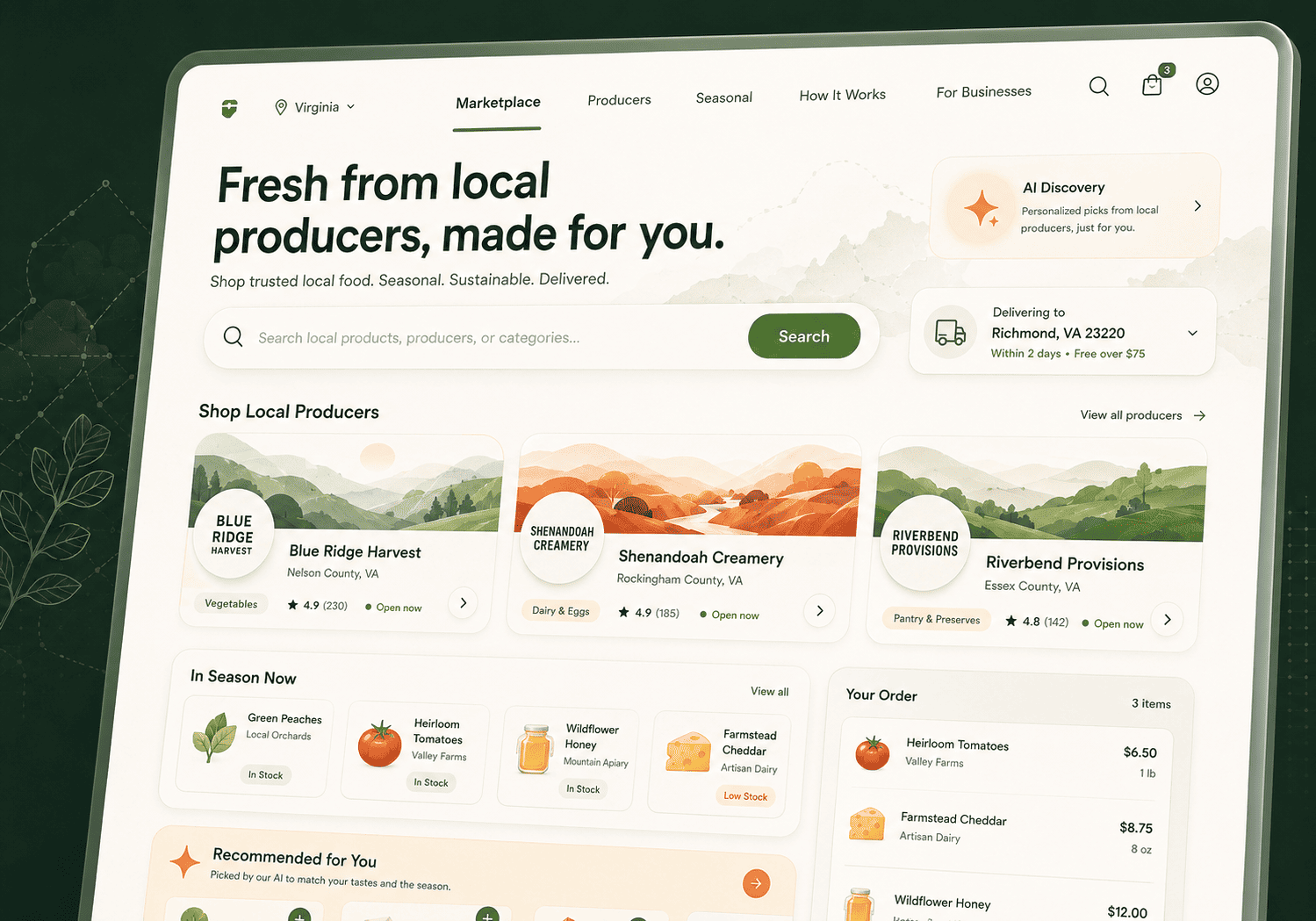
Digital Marketplace for Virginia Farmers, Local Producers & Direct-to-Consumer Food Sales

Plavno developed a custom multi-vendor marketplace for Virginia-based farmers, food producers, and regional sellers to unify product listings, vendor operations, customer ordering, and local fulfillment workflows.

Read More
3x

increase in product discovery relevance

Digital Marketplace for Virginia Farmers, Local Producers & Direct-to-Consumer Food Sales

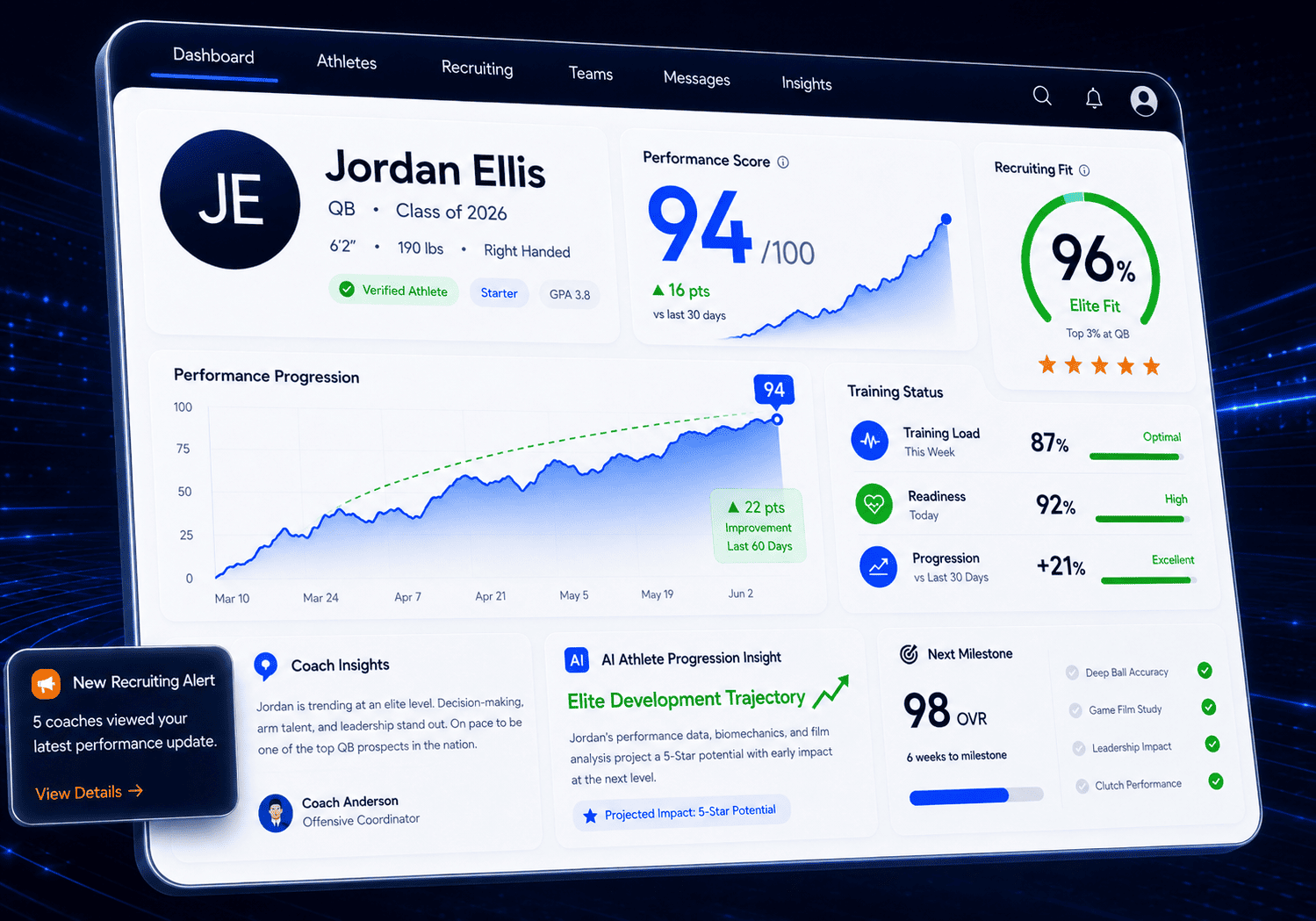
AI-Powered Sports Performance & Recruiting Platform for Virginia Clubs, Academies & Youth Programs

Plavno developed a custom sports technology platform for Virginia-based clubs and academies to combine athlete performance tracking, coach communication, recruiting workflows, and mobile engagement in one ecosystem.

Read More
3x

faster recruiting pipeline

AI-Powered Sports Performance & Recruiting Platform for Virginia Clubs, Academies & Youth Programs

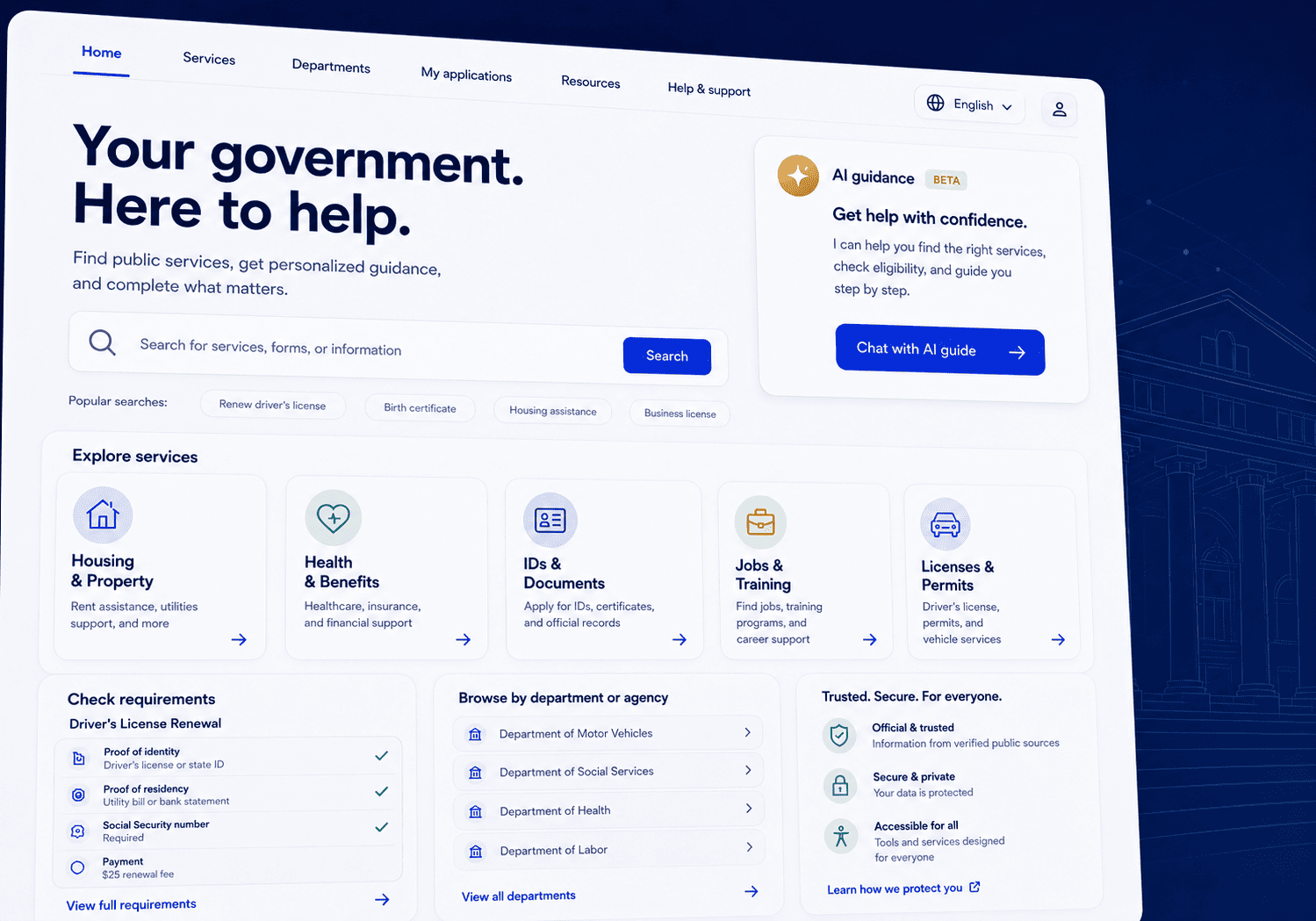
AI-Powered Citizen Services Website Platform for Virginia State Agencies

Plavno developed a modern eGovernment website platform for Virginia state agencies that centralizes citizen services, public information, department content, and an AI-powered guidance agent in one scalable system.

Read More
70%

reduction in routine citizen inquiries to agency staff

AI-Powered Citizen Services Website Platform for Virginia State Agencies

Integration and governance

Make HubSpot, Salesforce, and ops tools act as one

Once the first workflow works, the next constraint is coordination across systems and teams. In Blacksburg, that often means a mix of CRM, email, shared drives, and vertical tools for clinics, property operations, or manufacturing. The risk is creating an automation that writes conflicting data or hides important context. We design a single workflow source of truth with explicit read and write rules. That keeps reporting reliable and prevents one tool from silently overriding another. We treat integrations as products with versioning and ownership, not one-off scripts. APIs change, permissions drift, and vendors add new fields that break assumptions. We define contracts for each integration and test them with real samples. When a system has weak APIs, we plan safe fallbacks and limit automation to stable actions. That is how we reduce technical debt while still improving throughput. It also keeps your team from becoming dependent on one person who knows the glue code. For CRM-centered automation, we pay attention to identity resolution and lifecycle stage accuracy. A voice intake flow is only useful if the resulting contact and case objects are consistent. Our insurance phone agent experience informs how we structure calls, capture intent, and write updates back into downstream systems. For document-heavy updates, our anonymization and redaction experience informs how we handle attachments and logging. These are not generic patterns. They are the difference between an automation that staff trusts and one they bypass. Governance is how you keep automation from expanding into risky territory. We set up approval rules, audit trails, and role-based access so changes are deliberate. When the workflow touches healthcare admin tasks, we separate what can be processed automatically from what requires staff confirmation. security/compliance is enforced through routing rules, not only training. This approach reduces the chance that PHI or PII is copied into the wrong place. Cost control is also governance. AI steps can become expensive if they run on every message or every document page. We reduce cost by limiting AI to the steps that need language understanding and by caching and reusing approved context. We track invocation counts per workflow stage so you can tie spend to business volume. That is essential for New River Valley teams that need predictable unit economics. It keeps AI business automation sustainable as you grow.

Testimonials

We are trusted by our customers

“They really understand what we need. They’re very professional.”

The 3D configurator has received positive feedback from customers. Moreover, it has generated 30% more business and increased leads significantly, giving the client confidence for the future. Overall, Plavno has led the project seamlessly. Customers can expect a responsible, well-organized partner.

Sergio Artimenia

Commercial Director, RNDpoint

Sergio Artimenia

“We appreciated the impactful contributions of Plavno.”

Plavno's efforts in addressing challenges and implementing effective solutions have played a crucial role in the success of T-Rize. The outcomes achieved have exceeded expectations, revolutionizing the investment sector and ensuring universal access to financial opportunities

Thien Duy Tran

Product Manager, T-Rize Group

Thien Duy Tran

“We are very satisfied with their excellent work”

Through the partnership with Plavno, we built a system used by more than 40 million connected channels. Throughout the engagement, the team was communicative and quick in responding to our concerns. Overall, we were highly satisfied with the results of collaboration.

Michael Bychenok

CEO, MediaCube

Michael Bychenok

“They have a clear understanding of what the end user needs.”

Plavno's codes and designs are user-friendly, and they complete all deliverables within the deadline. They are easy to work with and easily adapt to existing workflows, and the client values their professionalism and expertise. Overall, the team has delivered everything that was promised.

Helen Lonskaya

Head of Growth, Codabrasoft LLC

Helen Lonskaya

“The app was delivered on time without any serious issues.”

The MVP app developed by Plavno is excellent and has all the functionality required. Plavno has delivered on time and ensured a successful execution via regular updates and fast problem-solving. The client is so satisfied with Plavno's work that they'll work with them on developing the full app.

Mitya Smusin

Founder, 24hour.dev

Mitya Smusin

Before we build

AI automation readiness checklist for Blacksburg

  • Pick one workflow with a measurable baseline — Start with a process that already has consistent volume in Blacksburg. Measure today’s cycle time, error types, and the number of handoffs between tools. Write down who owns each step and which system is the record for the key fields. Confirm what counts as “done” so staff agrees on success. Bring 10 to 20 real examples so we can see edge cases. This avoids building a nice demo that does not move your actual metrics.

  • Inventory integrations and access constraints — List the systems involved, including CRM, ticketing, billing, shared drives, and telephony. Confirm you can issue API keys or service accounts and identify rate limits. Note where staff uses manual exports or copy-paste because that reveals where data is trapped. If you use HubSpot or Salesforce, document objects and fields that must stay consistent. Capture who approves new automations and permission changes. This prevents schedule slip caused by access delays and vendor surprises.

  • Prepare a safe dataset and data handling rules — Gather representative documents, emails, and call transcripts if available. Remove or mask sensitive identifiers if the data is used outside production systems. Define which fields are allowed to be processed and where outputs may be stored. If you operate in healthcare admin workflows, mark any PHI and define stricter review steps. Keep a clear record of where data came from and who approved its use. This reduces compliance risk and makes evaluation repeatable.

  • Define quality checks and human override paths — Decide what failure looks like before automation is deployed. Set acceptance criteria for extraction accuracy, routing correctness, and response completeness. Define when the workflow must stop and ask a person to review, including low-confidence or missing context cases. Create an exception queue so staff can fix issues without filing tickets. Plan for a feedback loop so corrected outputs improve future runs. This protects service levels during rollout and increases staff trust.

  • Plan post-launch ownership and monitoring — Assign an owner for each workflow and define how changes are approved. Decide what is monitored weekly, including failure reasons, integration errors, and automation spend tied to volume. Plan an incident response path when a vendor API changes or a downstream system is unavailable. Set a cadence to review logs and adjust rules, not only prompts. Keep documentation for the business, not only engineers, so the workflow survives staff changes. This keeps AI automation paying off after the first month.

Vitaly Kovalev

Vitaly Kovalev

Sales Manager

Request a Blacksburg automation ROI estimate

Ask for our AI Automation Readiness Audit and ROI Calculator for Blacksburg businesses. Share your workflow, dataset scope, timeline, and stack so we can return an estimate and risk notes.

Talk to Experts
Eugene Katovich

Eugene Katovich

Sales Manager

Need a custom software solution? We’re ready to help!

Plavno has a team of skilled developers ready to tackle the project. Ask me!

Get a Free Quote

Architecture & Engineering Overview

Engineering details that matter in 2026 operations

Touch-based ROI

Touch-based ROI

Model savings via touches per case + time per touch (not only the “happy path”).

Exceptions stay visible

Exceptions stay visible

Reduce rework/escalations by routing low-confidence cases to review queues.

Cost per completed case

Cost per completed case

Limit AI to the steps that need it; reuse approved context; expose usage per stage.

Vendor drift resilience

Vendor drift resilience

Integration tests + isolated vendor code paths to prevent silent data corruption.

For Business: Technical ROI & Risk Mitigation

AI automation ROI is real when you price the cost of exceptions, not only the average case. In Blacksburg, many teams estimate savings using only the “happy path.” The hidden cost comes from rework, escalations, and customer callbacks. We model ROI by counting touches per case and the time spent per touch. Then we design the automation to reduce touches while keeping exceptions visible. That keeps savings stable as volume grows. A practical ROI model starts with hours saved per week and ties it to roles. If two coordinators spend 10 hours per week on scheduling follow-ups, that is 20 hours of recurring load. If automation reduces that by half, you have a clear baseline and a measurable change. The same model applies to property management turnovers, insurance callbacks, or manufacturing dispatch. We track outcomes using workflow logs, not surveys. That avoids arguments about whether the automation “feels faster.” Risk mitigation is mostly about controlling where AI is allowed to act. We limit AI to classification, extraction, summarization, and drafting when appropriate. We keep final actions behind rules and approvals when money, safety, or compliance is involved. This is informed by our compliance automation and incident response work, where audit trails and correct routing matter. It also lowers the chance of a staff member trusting an incorrect output. Your team stays in control while the system removes repetitive work. Cost risk is also real. AI steps can be triggered too often if the workflow is not designed carefully. We reduce cost by avoiding AI on every message and by reusing approved context and templates. We then expose usage data so you can see cost per completed case. That makes budgeting easier for New River Valley organizations that need predictable monthly spend. It also creates a clear rule for when to expand to a second workflow. A final business risk is vendor drift. CRM and telephony vendors change APIs and behavior. We plan for that by building integration tests and by isolating vendor-specific code paths. When something changes, you get a clear failure signal and a controlled fix path. That prevents silent data corruption, which is the most expensive failure mode. The result is automation you can run for years, not one quarter.

1
Governance-first

Kickoff: map systems & ownership

Define system of record, event triggers, write targets, and required audit logs.

2

Build: thresholds & approval gates

Route low-confidence classification/extraction to review; design owned exception queues.

3

Pilot: real samples + real integrations

Review failure modes; decide fixes via rules, retrieval sources, or process changes.

4

Production: change control cadence

Propose → test → rollback; review success rates and exception categories to prevent drift.

For CTOs: Architecture & Technical Lifecycle

The lifecycle that works is governance-first, then automation, then autonomy. Blacksburg teams often ask for “full automation” up front. That approach fails because the workflow rules are not written down and data is inconsistent. We start by formalizing the process and defining ownership, then we add AI where it reduces human touches. Only after the system is stable do we allow more autonomous decisions. This keeps production behavior predictable. Kickoff begins with system mapping, access, and a clear definition of the system of record. We document event triggers, write targets, and what should happen when a downstream tool is unavailable. We also define what logs are required for audit and debugging. This is where most automation projects either become manageable or become a tangle. CTO involvement is valuable because it clarifies where data should live. It also sets the expectation for change control. During implementation, the key decision points are confidence thresholds and approval gates. If a classifier is unsure, the workflow should route to review, not guess. If a document extraction is missing key fields, it should request a new input or create a task. Those decisions affect staffing, because review queues must be owned. We design queues so staff can resolve issues quickly and feed corrections back. That is how you keep quality high without adding engineering load. Before production, we run a pilot with a limited audience and controlled scope. We use representative samples and real integrations, not mock data. We review failure modes and decide which ones should be fixed with rules, which with retrieval sources, and which require a process change. This phase often reveals that the process itself needs adjustment. It is better to learn that in a pilot than after launch. The output is a go-live plan and a backlog for the next workflow. In production, lifecycle management becomes a steady cadence. We define how updates are proposed, tested, and rolled back. We schedule periodic reviews of workflow success rates and exception categories. When business rules change, the workflow changes with them. This prevents “automation drift,” where the system keeps running but stops matching reality. It also keeps internal trust high, which is the real moat.

Operator UI

Operator UI

React + TypeScript for exception queues; React Native when field staff need quick actions.

Grounded language workflows

Grounded language workflows

Retrieval pipelines (and memory-graph patterns) + structured outputs for validation.

Reliability primitives

Reliability primitives

Idempotency + replay; correlation IDs so CRM/telephony/docs logs join cleanly.

Edge-case fallbacks

Edge-case fallbacks

Handle noisy audio, missing pages, rate limits with prompts, retries, and safe tasks.

For Engineers: Implementation Details & Stack

Implementation success comes from selecting the smallest set of moving parts that still supports your integrations and evaluation. In Blacksburg SMB environments, you often need to connect tools that were never designed to work together. We prefer explicit interfaces and test fixtures over hidden coupling. When the workflow involves voice or chat, we reuse patterns proven in our voice assistant and phone agent work. That keeps conversational behavior consistent and easier to debug. For UI and operator tools, React and TypeScript are practical choices because teams can maintain them and hiring is realistic. They also support fast iteration on exception queues and review screens. For mobile contexts, React Native can be used when field staff need quick actions. The goal is not UI beauty. The goal is fast resolution of edge cases with clear context. Every second saved in exception handling compounds into real throughput. On language workflows, we bias toward retrieval pipelines when answers must be grounded in approved materials. This comes from MemoryVoice, where retrieval and a memory graph kept the assistant aligned with patient communication needs. In business process automation AI, retrieval reduces hallucination risk because the system cites a constrained knowledge set. We also structure prompts and outputs so they can be validated. That means returning structured fields and reasons, not only free text. Validation is what makes automation safe. For workflow reliability, we implement idempotency and replay. If a downstream system fails, the workflow should retry safely without creating duplicate records. We also implement correlation IDs across steps so logs can be joined. This is critical when you integrate CRM, telephony, and document processing. Without it, debugging becomes a manual detective effort. With it, engineers can isolate failures in minutes. Edge cases matter more than average cases. Phone audio quality varies and transcripts can be wrong. Documents arrive with missing pages or scanned artifacts. Vendor APIs can return partial data or rate limit unexpectedly. We plan for these realities with fallbacks and clear user prompts. That is the difference between a pilot that works and a system that runs daily. It also reduces pager load for your team.

Security & data controls

Security & data controls

RBAC + access logs; redaction/anonymization before automation; environment separation.

Observability that maps to impact

Observability that maps to impact

Completion rate, exception volume, top failure reasons; integration health + latency spikes.

Cost monitoring

Cost monitoring

Track AI step invocations and triggers to measure cost per case and stop runaway loops.

Incident response & rollback

Incident response & rollback

Alert thresholds + triage path; fail loudly/safely on vendor changes; quick revert options.

Infrastructure, Observability & Security

AI automation in production is an operations system, so observability and data controls are first-class features. In Blacksburg healthcare admin workflows, compliance expectations can be strict. Even outside healthcare, customer trust depends on keeping sensitive data controlled. We design data flows so sensitive content is minimized and access is explicit. We also separate environments so testing does not contaminate production records. This reduces both risk and debugging time. Security starts with identity and access management. We enforce role-based access so only authorized staff can review sensitive exceptions. We log access and key actions so audits can be performed. When redaction or anonymization is required, it happens before data is used for automation tasks. This follows patterns from our law-enforcement anonymization work, where compliance automation and evidence matter. You get traceability, not guesses. For monitoring, we focus on signals that map to business impact. We track workflow completion rates, exception counts, and the top failure reasons. We also monitor integration health, including error codes and latency spikes. For voice agents, we track call completion, transfers, and repeat call patterns. These signals show whether customers are actually getting served faster. They also pinpoint where the process needs revision. Cost monitoring is part of observability. We track how often AI steps run and what inputs trigger them. That allows you to measure cost per case and to spot runaway loops early. When business volume changes, you can forecast spend by using your own case counts. This prevents surprise bills and keeps stakeholders confident. It also clarifies when a rule-based step can replace an AI step. Incident response is planned, not improvised. We define alert thresholds and a triage path for failures that block operations. When a vendor API changes, we want the system to fail loudly and safely. We also keep rollback options so you can revert to the prior version quickly. This is how you keep service levels stable while improving automation. For US-based clients, we align incident handling with their internal expectations and change windows.

FAQ

AI automation questions from Blacksburg teams

These are the technical and delivery questions we hear most from operators and engineering leaders in the New River Valley.

What does AI automation cost in Blacksburg, Virginia, and what drives the price?

Cost is driven by workflow scope, integration count, and how strict your data handling requirements are in Virginia. A single workflow with one system of record and clean APIs is usually faster to implement than one that spans CRM, billing, telephony, and documents. If you need redaction or anonymization before processing, that adds design and testing work. Voice workflows also add complexity because they include call routing, transcript quality, and failure handling. Local cost drivers show up as operational constraints. Many Blacksburg teams run mixed stacks across sites in Christiansburg, Radford, or Roanoke. That means variations in fields, naming, and permissions that must be normalized. If staff availability for workshops is limited, discovery can take longer because decisions take longer. We reduce risk by starting with a fixed scope map, sample datasets, and a pilot plan. You will be asked to share budget range, timeline expectations, tech stack, and dataset or call volume scope. Ongoing cost depends on monitoring and how often AI steps run. We design workflows to avoid triggering AI on every message and we track usage per workflow stage. That lets you tie spend to cases completed and forecast monthly spend. Post-launch support is also part of the budget because vendor APIs drift over time. We recommend planning for updates, monitoring reviews, and incremental improvements. That keeps the automation stable and avoids surprise rework.

How long does it take to build AI Automation software?

Timelines depend on how many systems must be connected and how clear the workflow rules are. For a small MVP, we usually aim to deliver a working pilot that handles the core path and routes exceptions to humans. That pilot includes an exception queue, logging, and integration tests for the critical paths. It also includes a baseline so you can measure change in cycle time and error rates. The goal is to validate the workflow in real operations, not to cover every edge case. A broader deployment takes longer because it includes governance, training, and rollout across teams. You need approval gates, audit trails, and role-based access to match your internal policies. If the automation touches sensitive healthcare admin work in Montgomery County, validation steps must be stronger. Voice workflows require extra time for call flows, transfer logic, and testing with real audio conditions. Document workflows require sample collection and evaluation against your real formats. We structure delivery in phases so you get value early. First comes workflow and integration readiness, then a controlled pilot, then expansion to adjacent workflows. This avoids spending months building a complex system that nobody trusts. In Blacksburg, this approach also fits teams that split time between customer work and internal improvements. You can see progress every few weeks and decide when to expand.

What data do you need from us to implement AI business process automation?

We need examples of the work as it exists today. That includes 10 to 20 real cases of the workflow, with the inputs, the decisions made, and the final outcomes. For document workflows, that means sample PDFs, scans, and emails, plus the fields you want extracted. For voice workflows, that can include call recordings or transcripts if you have them, along with call disposition outcomes. We also need to know which system is the record for each key field. We also need integration details. List the systems involved and confirm who can provide API access, service accounts, and permission approvals. If you use HubSpot or Salesforce, share the objects, fields, and lifecycle stages that must be kept consistent. If there is a legacy system with limited APIs, we need to know what options exist for export or controlled updates. This information shapes what can be automated safely. It also affects timeline because access delays are a common blocker. Data handling rules are required early, not at the end. Identify whether any inputs contain PII or PHI and what restrictions apply. If you operate in healthcare admin workflows, define which actions require human review. We can apply redaction and anonymization patterns, but we must know the rules first. This prevents rework and keeps security reviews focused. It also allows us to build evaluation datasets that are safe to reuse.

How do you evaluate AI process automation quality before and after launch?

We evaluate quality against a baseline that comes from your current process in Blacksburg. First, we define measurable outcomes like cycle time, touch count, routing correctness, extraction completeness, and exception rates. Then we collect representative samples that include the edge cases your team actually sees. The automation is tested on those samples and results are compared to the baseline. This makes quality discussions concrete and prevents opinion-driven decisions. For language and voice flows, we test both correctness and safety. Correctness covers whether the system captures required fields and takes the correct next action. Safety covers whether it avoids taking actions when confidence is low and whether it routes to human review. We also validate retrieval sources so responses stay grounded in approved materials. This is informed by our work on voice assistants where retrieval pipelines and structured memory were needed. We track the reasons for failures so improvements are targeted. After launch, evaluation becomes continuous monitoring. We monitor workflow completion, exception reasons, and integration error rates. We also review a sample of automated outcomes with staff to confirm that the workflow still matches current business rules. When upstream systems change, tests catch drift early. This keeps the system reliable as volume grows across the New River Valley. It also gives you evidence when stakeholders ask if the automation is still performing.

Can AI automation meet our security and compliance requirements (HIPAA, SOC 2 expectations, and data privacy)?

Yes, but only if compliance is designed into the workflow and the data flow from the start. We begin by classifying what data is sensitive and which steps can be automated without exposing that data broadly. If you handle healthcare admin tasks in Montgomery County, we treat PHI as a first-class constraint and design for minimum necessary access. We add approval gates where required and keep audit logs for key actions. This makes compliance review based on evidence, not assurances. We use patterns proven in our AI Data Anonymization work, which included a redaction and anonymization pipeline and compliance automation. The same approach can be applied to documents, transcripts, and attachments that pass through automation steps. Redaction happens before data is used for automation tasks when required. Access is controlled with role-based permissions so only authorized staff can view sensitive exceptions. We also keep environment separation so testing does not mix with production records. Security also includes operational practices. We define who can change workflow rules and how changes are approved. We monitor for unusual access and for workflow anomalies that may indicate misuse. We also define incident response steps if a vendor integration behaves unexpectedly. This is important because automation depends on external systems that can change. The result is an automation system that can satisfy HIPAA-style controls and align with SOC 2 expectations around access, logging, and change management.

Contact Us

This is what will happen, after you submit form

Need a custom consultation? Ask me!

Plavno has a team of experts ready to start your project. Ask us!

Vitaly Kovalev

Vitaly Kovalev

Sales Manager

Schedule a call

Get in touch

Fill in your details below or find us using these contacts. Let us know how we can help.

No more than 3 files may be attached up to 3MB each.
Formats: doc, docx, pdf, ppt, pptx, xls, xlsx, txt.
Send request