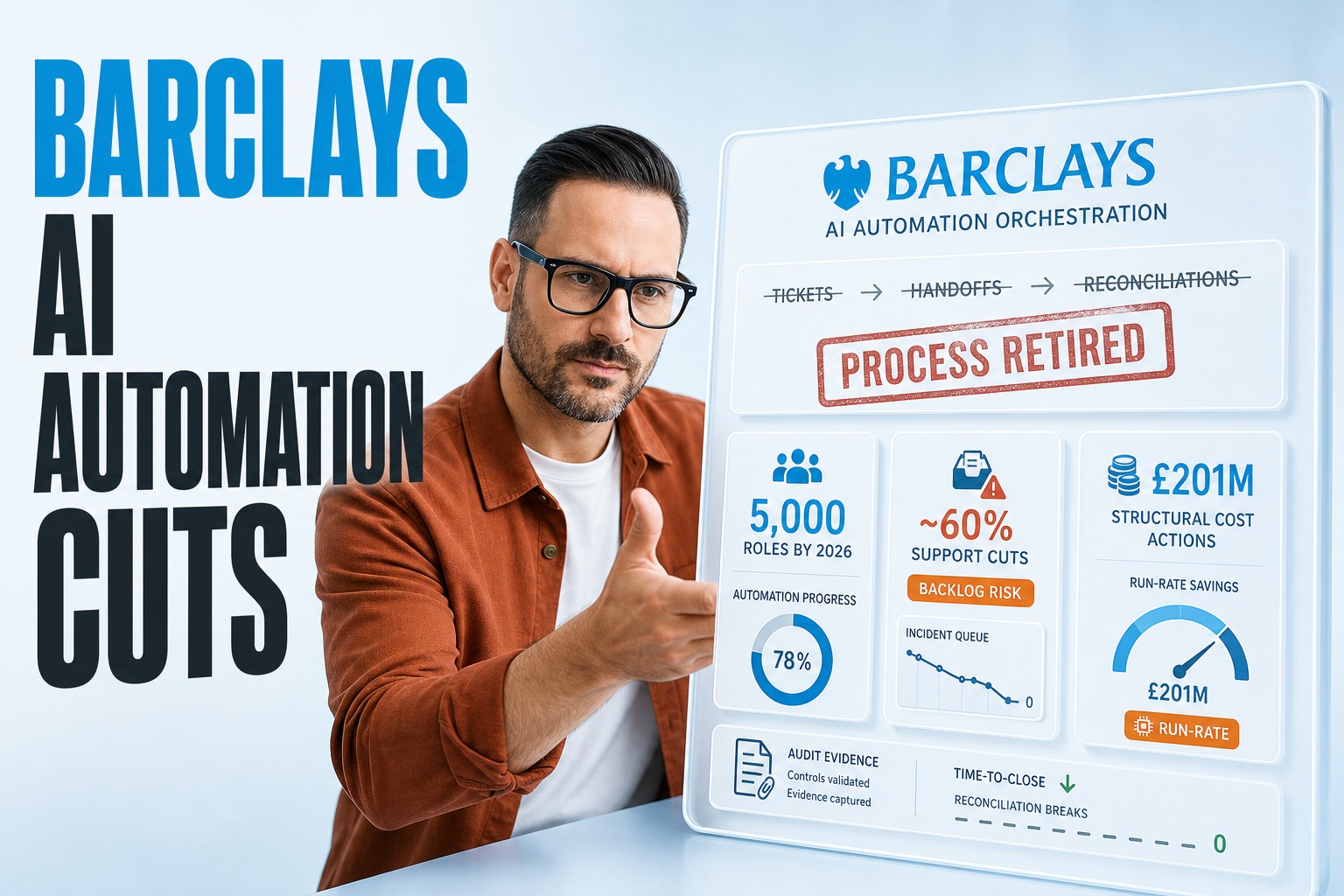
What happened at Barclays? → The bank plans to cut about 5,000 jobs (around 5%) by end-2026 while expanding technology and AI.
Why should engineering leaders care? → Because ~60% of reductions target support functions, including developers, where delivery risk quietly accumulates.
What’s the real goal? → Lower structural costs while improving returns, not ‘doing more with less’ rhetoric.
What’s the lever? → AI automation that removes whole classes of work, not just faster execution.
What should you do next? → Re-architect operating models so automation becomes measurable operational efficiency.
Quick Answer: What Barclays’ Cuts Signal For AI Automation
AI automation is now being treated as a structural cost program: redesign support work so fewer handoffs, fewer tickets, and fewer reconciliations exist in the first place. Barclays said it plans to cut around 5,000 roles (about 5% of its workforce) by end-2026 as it increases technology use, including AI, to reduce costs and improve returns, with about 1,000 already eliminated and the rest expected by end-2026. The takeaway for CTOs: efficiency comes from retiring workflows, not shrinking teams around the same workflow.
The Non-Obvious Risk: Cutting Developers Before Cutting Work
Barclays said roughly 60% of planned reductions will hit support functions, including software developers. That’s the warning label: support engineering is often where automation, integration, and data quality live. If you reduce capacity without eliminating the underlying demand, you get longer queues, more production risk, and more ‘temporary’ manual controls that become permanent.
If you want durable cost reduction, you must automate the workflow boundary-to-boundary before you optimize the org chart.
AI Automation As A Structural Cost Program (Not A Lab Project)
Barclays reported third-quarter profit of £2.3 billion, up 12% year over year but below analysts’ expectations, and also disclosed a further £201 million in structural cost actions in the quarter as part of longer-term expense reduction. Read that as a CFO-led mandate: technology investment must land as repeatable unit-cost improvement, even when revenue lines wobble (their investment banking performance was mixed, with weaker fixed-income trading).
For engineering leaders, the practical move is to treat automation as an operating model change: standardize inputs, narrow variability, and then automate. This is where ai automation services should look less like ‘build a bot’ and more like ‘retire a control tower, remove a reconciliation, close a loop.’ The organization that wins is the one that replaces exception handling with exception prevention.
| Signal From Barclays News | What It Means For Engineering | Efficiency Metric To Watch |
|---|---|---|
| 5,000 planned cuts by end-2026 | Multi-year program, not a one-quarter sprint | Cost-to-serve trend by workflow |
| ~60% cuts in support functions | Fewer builders for the same backlog is dangerous | Ticket aging and incident recurrence |
| £201m structural cost actions in Q3 | Savings must be bankable and auditable | Run-rate savings vs one-time savings |
| Fixed-income trading pressure | Volatility stresses controls and data | Time-to-close and break resolution |
Why ‘Support Functions’ Are Where Automation Breaks Or Pays Off
Support functions are the connective tissue: identity, access, CI/CD, data movement, finance ops tooling, and reporting plumbing. They also carry the hidden tax of ‘small work’ (approvals, evidence capture, rekeying, reconciliations). When headcount drops here, teams tend to preserve mission-critical change and defer the unglamorous eliminations—exactly the work that creates operational efficiency.
Profit Up, Expectations Missed: Efficiency Becomes The Only Stable Lever
Barclays’ Q3 profit rose to £2.3 billion, yet it still missed estimates; the investment bank posted income of £3.1 billion versus a £3.3 billion forecast, and fixed-income trading income fell 19% to £1 billion while equities revenue rose 47%. That pattern matters for CTOs: when performance is uneven, leadership turns to levers that are controllable—structural cost, process throughput, and cycle time.
In practical terms, tech leaders should expect stronger governance around automation programs: what is being removed, how controls change, and how savings are evidenced. This is also where financial analysis and forecasting belongs in the engineering conversation—not as a finance-only activity, but as a way to model how process changes affect capital usage, operational risk, and time-to-close under volatile quarters.
Which AI Automation Use Cases Deliver Operational Efficiency In Banking?
The best AI automation use cases aren’t the flashiest ones; they’re the ones that collapse multi-system workflows into one coherent path and reduce exception volume. In banking support orgs, you typically get outsized returns when you automate work that is frequent, policy-driven, and evidence-heavy—because that’s where humans spend time proving they did the work rather than doing value-creating work.
A useful filter: if the process produces artifacts (logs, approvals, sign-offs, spreadsheets, PDFs), it’s a prime candidate for financial document automation and downstream auditability. If the process produces stakeholder-ready narratives (board packs, variance commentary, performance summaries), it’s a prime candidate for investor reporting automation—where consistency, timeliness, and traceability are the product.
- Close-loop break management: detect, route, and resolve reconciliation breaks with evidence captured automatically.
- Change-request triage: classify requests, pre-fill forms, and suggest owners based on historical resolution patterns.
- Control evidence collection: compile approvals, logs, and screenshots into standardized audit packages.
- Reporting assembly: draft variance commentary and consolidate inputs into repeatable stakeholder-ready formats.
RPA Vs AI Agents: Where Each Fits In A Cost-Reduction Mandate
The RPA vs AI agents debate becomes simple under an efficiency mandate. Use RPA when the UI and rules are stable and you need deterministic execution at scale. Use agents when work involves interpretation, messy inputs, or reasoning across multiple sources—especially when the output needs to be explainable, reviewable, and fed back into the process.
- Choose RPA for fixed workflows: repetitive clicks, stable screens, and strict validation rules.
- Choose agents for ambiguous work: emails, tickets, narratives, and exception classification.
- Pair them for resilience: agents decide, RPA executes, and humans approve only true edge cases.
- Instrument everything: if you can’t measure outcomes, you can’t claim structural cost savings.
What Barclays’ Developer Cuts Should Change In Your Roadmap
If ~60% of reductions hit support functions including developers, the likely internal consequence is fewer people available for integration, data remediation, and platform hardening—the exact work that prevents operational drag. Your roadmap should therefore shift from ‘more features’ to ‘less process.’ That means prioritizing removals: remove reconciliations, remove duplicate data entry, remove manual approval chains that exist only because systems don’t trust each other.
| Roadmap Decision | Anti-Pattern To Avoid | More Efficient Alternative |
|---|---|---|
| ‘Automate approvals’ | Approvals as a permanent control | Reduce variance at the source; approvals become exceptions |
| ‘Build a reporting layer’ | More dashboards without better inputs | Standardize data contracts; automate narrative generation |
| ‘Add another tool’ | Tool sprawl increases handoffs | Consolidate workflows around a single orchestration layer |
| ‘Cut backlog by pausing refactors’ | Tech debt turns into cost | Fund the refactor that deletes recurring manual work |
What Business Process Automation Use Cases Should You Fund First?
‘Business process automation use cases’ is a long list until you force a ranking rule. In cost-focused cycles, fund items that (1) reduce human-in-the-loop steps, (2) reduce time-to-close, and (3) reduce operational risk from inconsistency. That ranking naturally pushes you toward AI process automation in areas where inputs are semi-structured and decision policies can be made explicit.
Start where evidence is mandatory: automate control capture, retention, and packaging for audit-ready workflows.
Attack reconciliation loops: reduce breaks by improving data quality, matching, and exception routing.
Standardize intake: unify ticket/forms/email inputs so automation isn’t rebuilt for every team.
Close the loop: push outcomes back into systems so the next cycle has fewer exceptions.
Governance That Keeps Automation From Becoming Another Cost Center
A multi-year reduction plan like Barclays’ will force hard questions: what savings are recurring, what risks were introduced, and who owns failures when automated decisions go wrong. Good governance isn’t bureaucracy; it’s what makes savings bankable. Define which workflows are allowed to be fully automated, where human review is required, and how you prove compliance without reintroducing manual work.
Define ‘done’ as a retired process, not a deployed model: the old workflow must be shut off.
Require traceability: every automated action should link to inputs, policy, and reviewer context.
Treat exceptions as product work: each exception type gets a backlog item to reduce its frequency.
Audit your automations: verify they still match policy when upstream systems or markets change.
How UK Tax Pressure Changes The Efficiency Conversation
Barclays’ results landed ahead of Britain’s October 28 budget, with Finance Minister John Healey not ruling out additional taxes on banks’ profits. For CTOs, tax and regulatory pressure often shows up as ‘do the same reporting with fewer people’ and ‘prove controls faster.’ That’s where hyperautomation thinking helps: orchestrate multiple automations across systems so compliance work scales without scaling headcount.
- Treat compliance artifacts as generated outputs, not manually assembled deliverables.
- Consolidate policy logic so changes propagate once, not across dozens of scripts.
- Design for audit-by-query: evidence should be retrievable, not re-created under pressure.
- Reserve humans for judgment: automation should handle the rote, leaving review for true risk.
The win isn’t automating tasks—it’s making the organization less dependent on manual controls during volatile quarters.
A Practical Path To AI Automation That Doesn’t Break Delivery
Barclays’ plan is a reminder that efficiency programs and staffing changes will collide in the support org. The safest path is to build a thin orchestration layer around the highest-volume workflows, instrument outcomes, and then progressively retire the manual path. If you’re simultaneously resizing teams, keep the automation scope ruthless: pick workflows where the interfaces are known, owners are clear, and evidence requirements are stable.
If you need to move quickly without overloading remaining staff, consider augmenting delivery capacity via outstaffing while you standardize inputs and data contracts. For broader modernization that makes automation easier (not harder), align it with your digital transformation roadmap so process simplification and platform changes land together. Done well, AI automation becomes the mechanism for operational efficiency, not a side project.
Author: Plavno team. Last updated: October 2026.
 Chat GPT
 Perplexity
 Claude
 Gemini

